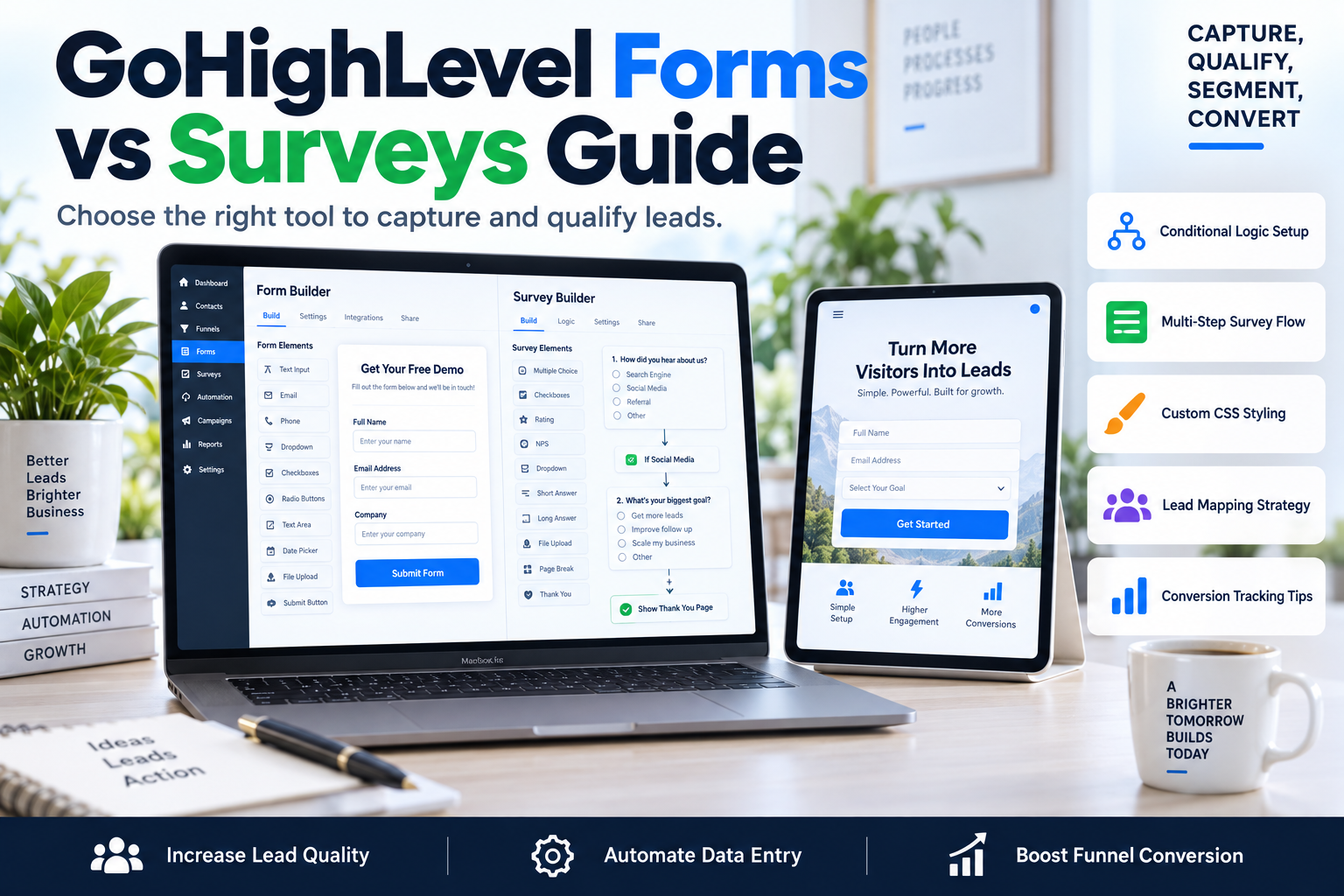
GoHighLevel Forms vs Surveys: When to Use Each and How to Build Them
Stop losing leads to bad UI. We break down exactly when to deploy GoHighLevel forms vs surveys to maximize your conversion rates and automate lead qualification.

CEO of SkyByte Agency
On this page
Most agency owners and coaches treat lead capture as an afterthought. They slap a basic 'Contact Us' box on a page and wonder why their calendar is empty or, worse, filled with low-quality prospects who can’t afford their services. If you want to scale, you need to understand the structural differences between GoHighLevel forms vs surveys and how they impact your user experience. Using a form when you need a survey kills your segmentation; using a survey when you need a form kills your conversion speed.
At SkyByte, we build conversion-focused funnels that rely on data-driven lead capture. In this guide, we’ll break down the technical nuances, use cases, and implementation strategies for both tools so you can book a discovery call with SkyByte today with a lead-gen system that actually works.
The Core Difference: GoHighLevel Forms vs Surveys
While both tools live under the 'Sites' tab in GoHighLevel (GHL), they serve distinct psychological purposes in the buyer’s journey.
What are GoHighLevel Forms?
Forms are single-page or simple multi-field containers. They are designed for speed. Use a form when the friction of the ask should be as low as possible. Think of a newsletter signup, a 'Download My PDF' lead magnet, or a simple login gate. Forms in GHL allow for custom fields, file uploads, and basic styling, but they lack the granular branching logic found in surveys.
What are GoHighLevel Surveys?
Surveys are the heavy lifters of lead qualification. They are inherently multi-step and support Conditional Logic. This means if a lead answers 'No' to a qualifying question, you can immediately disqualify them or send them to a different thank-you page. Surveys allow you to segment your audience before they ever talk to a sales rep.
Comparison Table: Choosing Your Tool
| Feature | GHL Forms | GHL Surveys |
|---|---|---|
| Primary Goal | High volume, low friction | High quality, segmentation |
| Logic | None (Linear) | Conditional / Branching |
| Step Count | Usually 1 page | Multi-step / Slides |
| Completion Rate | Higher (Short) | Lower (but better leads) |
| Best For | Lead magnets, Newsletter | Quiz, Onboarding, Qualification |
When to Use GoHighLevel Forms
You should reach for the Form Builder when your goal is purely to capture an email or phone number as quickly as possible.
- Newsletter Signups: If someone just wants your weekly tips, don't make them click through five slides.
- Gated Content: For a 'Cheat Sheet' or 'Template,' name and email are sufficient.
- Event Registration: If you just need a headcount and a way to send a Zoom link.
- Webinar Opt-ins: Simple forms reduce the 'bounce' rate on your high-traffic landing pages.
If your current landing page isn't converting, you might need to Free Website & Funnel Audit to see if your form friction is the culprit.
When to Use GoHighLevel Surveys
The survey builder is your 'Digital Salesperson.' Use it when you need to know who the lead is before you spend time or money on them.
- High-Ticket Coaching Applications: Ask about their current revenue, their biggest struggle, and their readiness to invest.
- Home Services Quotes: A roofer needs to know the roof type, square footage, and urgency before providing a quote.
- B2B Consultation Requests: Use conditional logic to see if the company size meets your minimum criteria.
- Quizzes: Create 'What’s Your Business Personality?' style lead magnets that segment people into different email automation buckets based on their scores.
Technical Setup: Building High-Conversion Lead Captures
To master GoHighLevel forms vs surveys, you need to follow a specific build framework. Here is the SkyByte process for building high-performing capture assets:
1. Map the Data Points
Before touching the builder, list the custom fields you need. Do you need a 'Revenue' field? A 'Company Name' field? Create these in Settings > Custom Fields first so they are available in both builders.
2. Design for Mobile First
GHL forms can look clunky on mobile if not styled correctly. Use the 'Full Width' setting for buttons and ensure font sizes are at least 16px to prevent iOS from zooming in on input fields, which breaks the UX.
3. Implement Hidden Fields
This is an advanced tactic. Use hidden fields to capture 'Source' (UTM parameters). This allows you to see exactly which Facebook ad or Google search lead to that specific form submission without the user having to type anything.
4. Setting Up Conditional Logic (Surveys Only)
Inside the survey builder, click on a question and look for 'Logic.' You can define:
- Disqualify on Selection: Sends the lead to a 'Not a Fit' page immediately.
- Move to Slide X: Skips irrelevant questions based on previous answers.
- Outcome Mapping: Tag the contact based on their specific answers to trigger different GHL Workflows.
SEO and Conversion Optimization Tips
Your lead capture tool is only as good as the traffic hitting it. To ensure your GoHighLevel forms vs surveys contribute to your bottom line, consider these CRO (Conversion Rate Optimization) rules:
- The Rule of 3: For forms, every field after the third reduces conversion by roughly 10%. Only ask for what you need to follow up.
- The Progress Bar: In surveys, always enable the 'Progress Bar.' It gamifies the experience and encourages the user to finish the 'journey.'
- The 'Submit' Button: Never use the word 'Submit.' Use high-intent phrases like 'Get My Free Audit,' 'Claim My Discount,' or 'See If I Qualify.'
If your GHL account is a mess of half-finished automations, we can help you fix your problem and streamline your tech stack.
Frequently Asked Questions
Q: Can I use custom CSS on both forms and surveys? Yes. Both builders have a 'Custom CSS' area. This is essential for matching the form styles to your brand’s specific hex codes and border-radius preferences beyond the basic UI toggles.
Q: Do GoHighLevel surveys integrate with Facebook Lead Forms? Directly, no. Facebook Lead Forms are their own entity. However, you can use GHL Workflows to map Facebook Lead Form data into your CRM, or better yet, drive Facebook traffic to a GHL Landing page with a Survey to ensure higher lead quality.
Q: Which one is better for SEO? Technically, neither has a direct impact on SEO rankings, but 'Time on Page' and 'User Interaction' are signals. A well-designed survey can keep a user engaged on your site longer, which tells Google your content is valuable.
Work with SkyByte to Scale Your Lead Gen
Deciding between GoHighLevel forms vs surveys is just the first step in building a high-performance sales funnel. The real magic happens in the automations that trigger after the click—the SMS speed-to-lead, the calendar bookings, and the CRM segmentation. At SkyByte, we specialize in taking the technical burden off your plate. Whether you need a complete GoHighLevel setup, custom conversion-focused web design, or a complex multi-step qualification funnel, our team delivers results that move the needle. Don't leave your revenue to chance with generic templates. Book a discovery call with SkyByte today and let's build a lead generation engine that actually converts.
Want us to set this up for you?
Our team can build and connect this for you, so it works from day one.
Talk to our teamWritten by
Moin Ahmed · CEO of SkyByte Agency
Moin founded SkyByte Agency in 2020 and leads the team behind 3,000+ websites, funnels and GoHighLevel systems. He writes about turning websites into steady sources of leads for small businesses and agencies.
Connect with Moin on LinkedIn