GoHighLevel
GoHighLevel Calendar Booking: The Complete Setup & Optimization Guide
Stop losing leads to manual back-and-forth. Learn how to master GoHighLevel calendar booking to automate your sales calls and boost your conversion rates today.
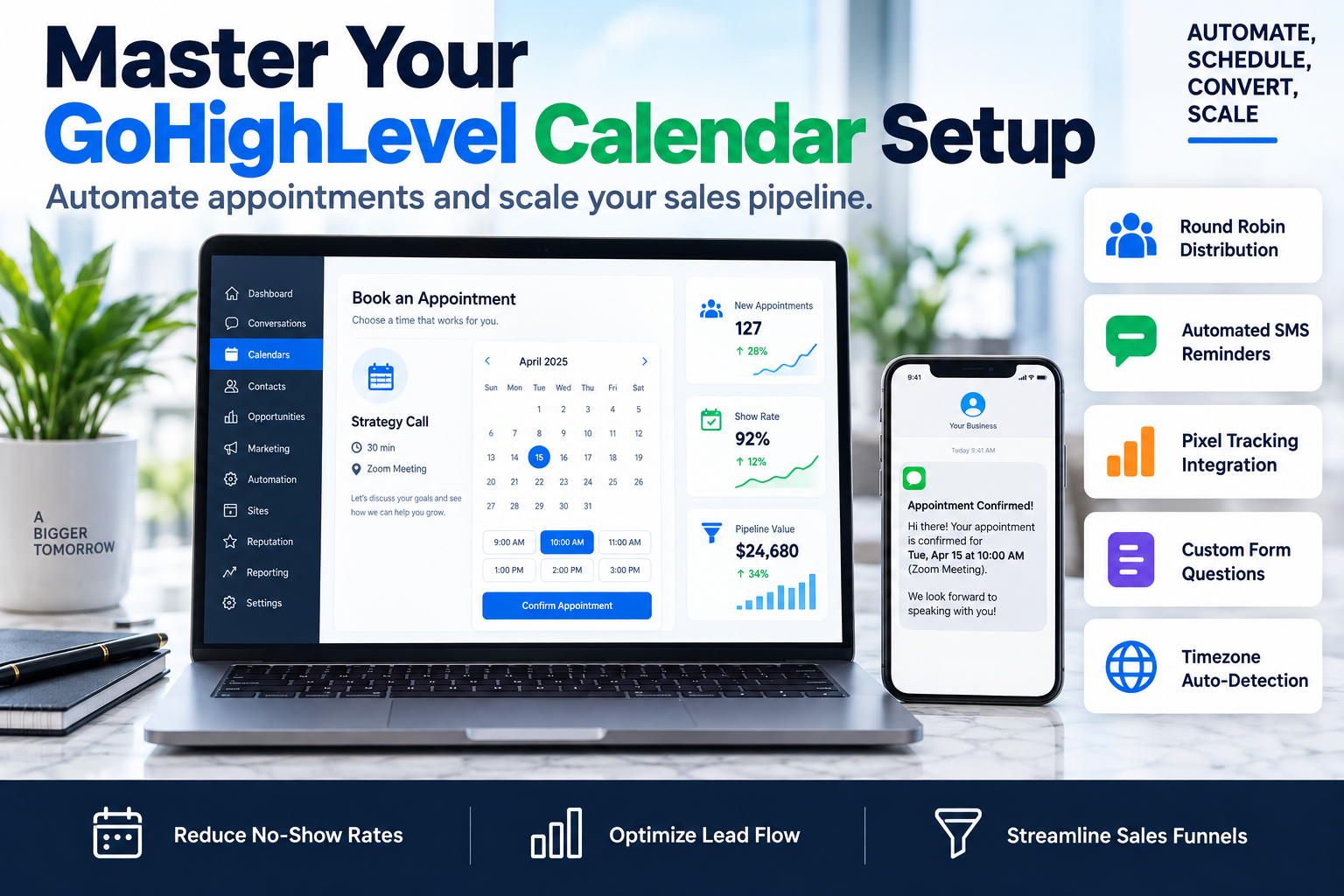
Most businesses lose 30% of their potential revenue in the friction between a lead expressing interest and actually getting on a call. If you are still manually emailing prospects to 'find a time that works,' you are bleeding cash. Implementing a robust GoHighLevel calendar booking system is the single fastest way to eliminate this friction, professionalize your brand, and ensure your sales team stays busy with qualified appointments rather than administrative busywork.
In this guide, we will break down exactly how to configure your GoHighLevel calendars for maximum conversion and how to integrate them into a wider sales funnel architecture that actually closes deals.
Why GoHighLevel Calendar Booking Beats Standalone Tools
Many agencies start with Calendly or Acuity, only to realize they are paying for a fragmented tech stack. The GoHighLevel calendar booking engine isn't just a scheduling tool; it is a native component of your CRM. This means every booking immediately triggers workflows, updates opportunity stages, and tags leads without the need for buggy Zapier connections.
Key advantages include:
- Deep CRM Integration: Automatically move a lead to 'Appointment Scheduled' in your pipeline.
- Customizable CSS: Match your booking widget perfectly to your landing page brand.
- Unlimited Calendars: Unlike other tools that charge per user, GHL allows for massive scale at a flat rate.
- Built-in Reminders: Send SMS and Email sequences natively from the same platform.
The Step-by-Step GHL Calendar Setup Framework
To get the most out of GoHighLevel calendar booking, you need to follow a logical setup sequence. Don't just toggle settings at random. Follow the SkyByte 'Five-Pillar' setup:
1. The Configuration Layer
Start by choosing the right calendar type. For most B2B brands and consultants, you will choose between a 'Simple' calendar (single user) or a 'Round Robin' calendar (multi-user).
- Unassigned Calendars: Best for one-man shows or specific room bookings.
- Round Robin Calendars: Essential for sales teams. You can set 'Optimization' to either 'Availability' (first person free gets the lead) or 'Equal Distribution' (leads are rotated evenly).
2. The Availability Layer
Define your buffers. A common mistake is not leaving enough time between calls for notes and follow-ups. Set a 15-minute 'Buffer Duration' and a 'Minimum Scheduling Notice' of at least 2 to 4 hours to avoid surprise meetings you aren't prepared for.
3. The Custom Form Layer
Do not use the default form. To optimize your GoHighLevel calendar booking flow, create a custom form that qualifies the lead. Ask for their budget, their biggest pain point, and their website URL. This allows you to cancel unqualified bookings before they waste your sales team's time.
4. The Confirmation & Automation Layer
This is where the magic happens. Use the GHL Workflow builder to trigger an immediate SMS confirmation.
The Ideal Reminder Sequence:
- Immediate: SMS & Email Confirmation with a calendar invite.
- 24 Hours Before: Email reminder with a value-add (like a case study or PDF).
- 1 Hour Before: SMS reminder with the meeting link.
- 10 Minutes Before: Final SMS 'See you in a few minutes'.
5. The Tracking Layer
Ensure your Facebook Pixel and Google Analytics tags are firing on the 'Appointment Thank You' page. This allows you to track Cost Per Lead (CPL) and Cost Per Appointment (CPA) accurately in your ad dashboards.
Comparison: Calendar Types in GoHighLevel
| Feature | Event Calendar | Round Robin | Class Booking |
|---|---|---|---|
| Best For | Individuals | Sales Teams | Webinars/Workshops |
| Lead Rotation | N/A | Yes | N/A |
| Multi-User | No | Yes | Yes |
| Payment Collection | Yes | Yes | Yes |
| External Sync | Google/Outlook | Google/Outlook | Google/Outlook |
Optimization Strategies for Higher Show-Up Rates
Setting up your GoHighLevel calendar booking system is only half the battle. You need people to actually show up. At SkyByte, we use these specific tactics to hit an 85%+ show-up rate for our clients:
- The 'Pre-Call Homework' Tactic: On your thank-you page, include a video explaining what will happen on the call and a short task for them to complete. Engagement breeds commitment.
- Calendar Invite Auto-Add: Ensure your workflow sends a .ics file or a direct 'Add to Calendar' link. If it's not on their digital calendar, it doesn't exist.
- Reschedule Links in Every Message: It is better for a lead to reschedule than to no-show. Always provide a clear, easy path to move the appointment.
Advanced Troubleshooting: Synching Issues
If your GoHighLevel calendar booking isn't showing the correct availability, check these three things:
- Primary Calendar Sync: Ensure your Google or Outlook calendar is set as the 'Primary' in Profile settings.
- Check for Conflicts: Ensure 'Check for Conflicts' is toggled ON for all relevant sub-calendars (like your personal 'Doctor Appointment' calendar).
- Timezone Settings: Verify that both the Sub-Account timezone and your User Profile timezone match. Discrepancies here are the #1 cause of booking errors.
Frequently Asked Questions
Q: Can I charge for appointments through GoHighLevel? Yes. You can integrate Stripe directly into the calendar settings to require a deposit or full payment before the appointment is confirmed.
Q: How do I prevent competitors from booking my time? Use a custom form with email validation. You can also manually review and cancel appointments that don't meet your qualification criteria, which will automatically free up the slot.
Q: Does it work with Zoom and Google Meet? Absolutely. You can set the 'Meeting Location' to 'Zoom' or 'Google Meet', and GHL will automatically generate a unique link for every booking and include it in the confirmation email.
Scale Your Appointments with SkyByte
Building a high-converting GoHighLevel calendar booking system is just one piece of a successful revenue engine. If your calendar is empty, or if you're struggling to turn bookings into closed deals, you need a comprehensive strategy. SkyByte specializes in building end-to-end sales funnels and advanced GHL automations that do the heavy lifting for you.
Whether you need to fix your problem with existing automations or you want a free funnel audit to see where you're losing leads, our team is ready to help. Book a discovery call with SkyByte today and let's turn your website into a conversion machine.