GoHighLevel
How to Build a Membership Site in GoHighLevel: Complete Setup Guide
Stop paying for Teachable or Kajabi. Learn how to build a high-converting membership site in GoHighLevel to centralize your courses, community, and sales funnels.
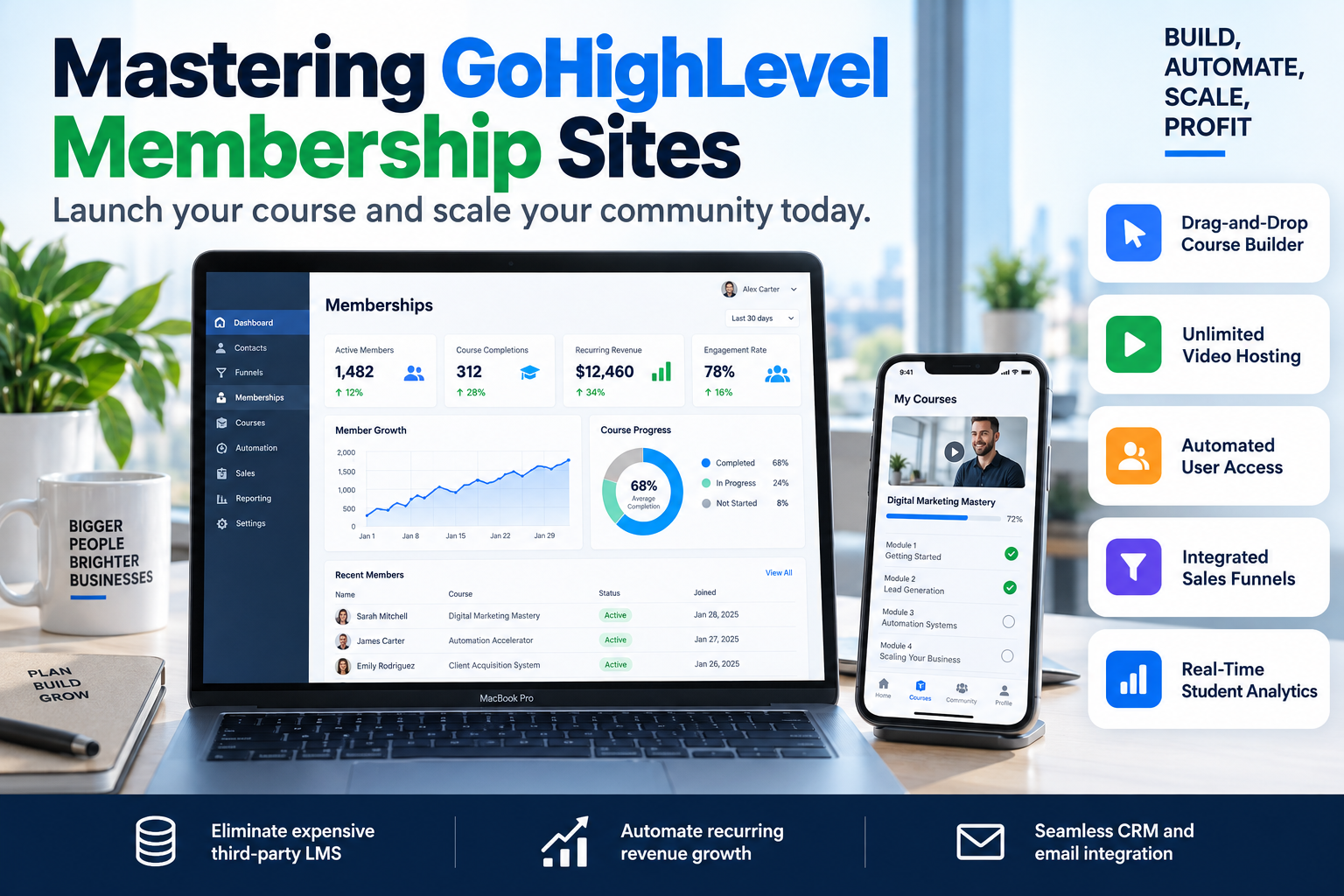
Most coaches and B2B consultants are throwing away $200–$500 per month on fragmented software stacks. You have Kajabi for your courses, ActiveCampaign for your email, and ClickFunnels for your landing pages. This data fragmentation kills conversion rates. If you want to scale, you need a unified ecosystem. Learning how to build a membership site in GoHighLevel is the single most effective way to consolidate your tech stack, reduce churn, and automate the entire student journey from lead magnet to high-ticket renewal.
At SkyByte, we specialize in migrating complex course businesses into HighLevel to streamline operations. This guide provides the exact blueprint we use to build high-performance membership areas that actually convert.
Why Build Your Membership Site in GoHighLevel?
Before diving into the technical steps, you need to understand the strategic advantage. Most Learning Management Systems (LMS) are silos. They don't talk to your CRM effectively. GoHighLevel flips this script by putting your membership area inside your sales engine.
- Zero Integration Friction: When someone buys a product in your funnel, they are instantly granted access via the internal CRM. No Zapier required.
- Granular Tracking: You can trigger emails based on lesson completion or if a student hasn't logged in for 7 days.
- Cost Efficiency: You can host unlimited courses and unlimited students for one flat monthly price.
- Branding Control: Custom domains and CSS overrides allow for a fully white-labeled experience.
Phase 1: Planning Your Membership Architecture
To successfully build a membership site in GoHighLevel, you must start with the Product structure. In GHL, a "Product" is the actual course or content library.
- Define the Offer: Is this a free lead magnet, a one-time purchase, or a recurring subscription?
- Map the Curriculum: Group your content into Categories (modules) and Lessons (individual videos/posts).
- Asset Preparation: Ensure your videos are exported in 1080p and your thumbnails are consistent (1280x720px).
Phase 2: Step-by-Step Setup Guide
1. Create the Product
Navigate to Memberships > Products and click "Create Product." You can choose from templates like "Sprint Course," "Marathon Course," or a "Membership" build. We recommend starting with a "Blank Product" for maximum control over the user experience.
2. Configure Settings and Branding
Go to the Settings tab within your Membership dashboard. Here, you will:
- Site Details: Upload your favicon and logo.
- Custom Domain: Connect a subdomain (e.g.,
members.yourbrand.com) via CNAME record. This is vital for SEO and brand authority. - App Settings: Enable the Progressive Web App (PWA) so students can add your course to their phone's home screen.
3. Build the Curriculum
Inside the Product editor, add your Categories and Lessons. GoHighLevel allows you to host videos directly on the platform (powered by Wistia/Mux backend), meaning you don't need a separate Vimeo subscription.
4. Customize the Theme
Navigate to Memberships > Design > Themes. The "New York" and "Neo" themes are the most modern. Click "Customize" to change primary colors, fonts, and header layouts to match your brand's style guide.
Phase 3: Automating Access and Sales Funnels
A membership site is useless if you have to manually add users. This is where the power of GoHighLevel shines. You need to link your membership product to a Trigger Link or an Offer.
| Feature | Purpose | Benefit |
|---|---|---|
| Offers | Bundles one or more Products for sale. | Allows you to sell "Basic" vs "Pro" tiers easily. |
| Workflows | Triggers access based on a payment or tag. | Instant delivery 24/7 without manual intervention. |
| Segments | Groups students by progress or purchase date. | Target specific students for upsells or check-ins. |
The "Instant Access" Workflow
To automate the process, create a Workflow with the trigger Order Submitted. Add a filter for your specific funnel page. The first action should be Membership Grant Offer. This sends the automated "Welcome" email containing the user’s login credentials immediately after their credit card is processed.
Optimizing for Conversion and Retention
Knowing how to build a membership site in GoHighLevel is only half the battle; you also need to keep users engaged. HighLevel provides several tools to increase the Life Time Value (LTV) of your members:
- Drip Content: Set lessons to unlock after a specific number of days to prevent overwhelm and reduce refund rates.
- Quizzes and Assessments: Require students to pass a quiz before moving to the next module to ensure learning outcomes.
- Certificates: Automatically issue a branded certificate upon completion to provide social proof and a sense of achievement.
Common Pitfalls to Avoid
- Overcomplicating the UI: Keep your navigation simple. If a student can't find the next lesson within two clicks, they will disengage.
- Neglecting Mobile: 50% of your users will likely access content via mobile. Always test your membership area on a smartphone before launching.
- Ignoring Analytics: Use the Memberships > Analytics tab to see where students are dropping off. If everyone stops at Lesson 4, that video likely needs a rewrite.
FAQ: Membership Sites in GoHighLevel
Q: Can I migrate my content from Kajabi or Teachable?
Yes. While there is no one-click importer, you can bulk upload videos and use the GHL API or manual entry to move your curriculum structure quickly. SkyByte offers full migration services to handle this for you.
Q: Does GoHighLevel host my videos?
Yes, GoHighLevel includes secure video hosting. You do not need to pay for an external host like Wistia or Vimeo, which can save you hundreds of dollars annually.
Q: Can I have multiple membership sites in one account?
Yes. You can create multiple "Products" and group them under different "Offers," allowing you to run several different courses or membership tiers from a single sub-account.
Scale Your Membership with SkyByte
Building a basic course area is easy, but building a conversion-focused membership ecosystem requires strategic technical execution. If you are tired of wrestling with tech and want a professional, high-converting setup that integrates seamlessly with your sales funnels and CRM, we can help.
At SkyByte, we help coaches and B2B brands build high-performance GoHighLevel ecosystems. From custom CSS branding to complex automation workflows that handle renewals and upsells, our team ensures your tech works for you, not against you.
Book a discovery call with SkyByte today to discuss your membership project, or get a free funnel audit to see how we can optimize your current conversion path. Let us help you fix your problem and turn your expertise into a scalable digital asset.