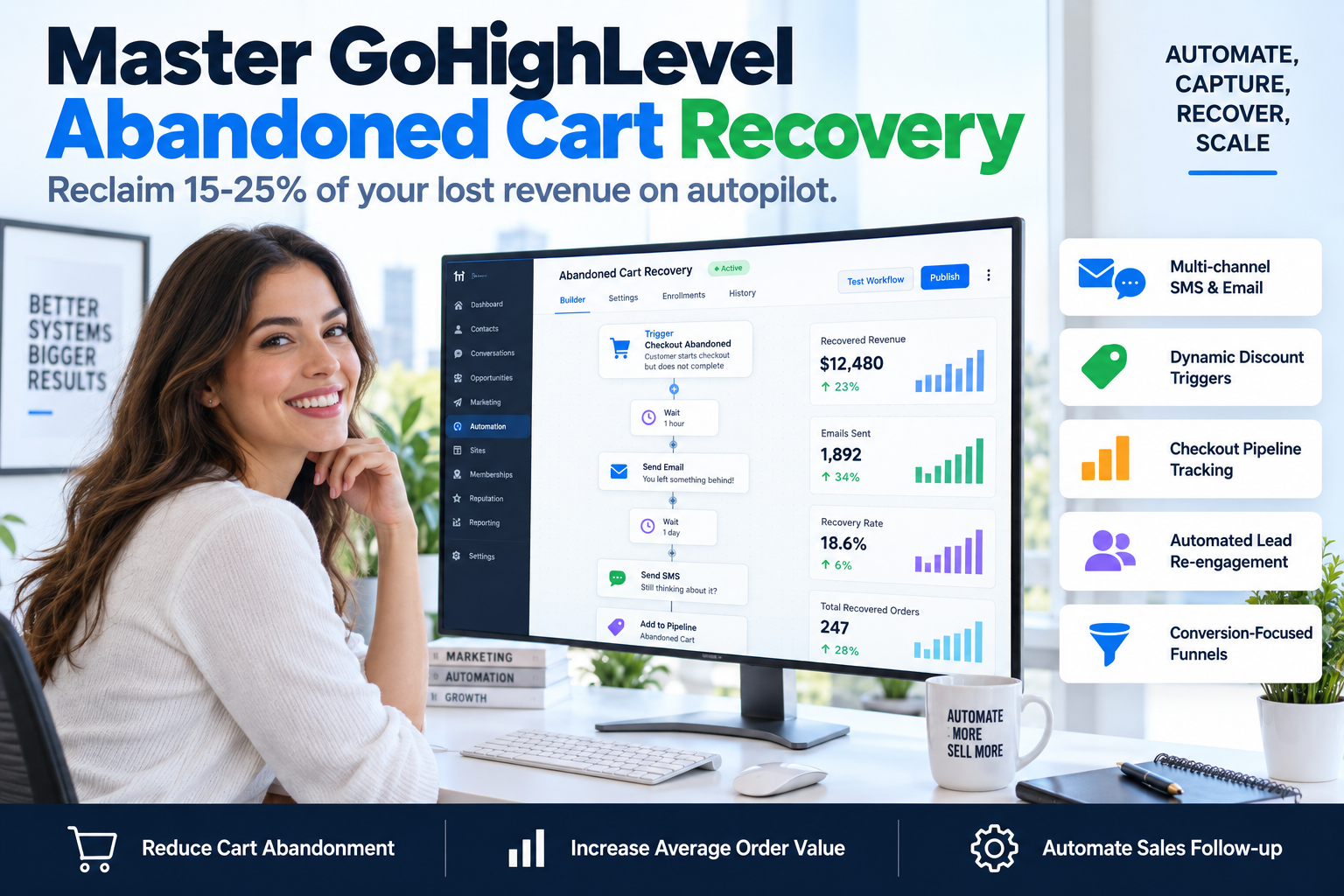
Build a GoHighLevel Abandoned Cart Recovery Workflow That Converts
Stop losing 70% of your sales to abandoned checkouts. Learn how to build a multi-channel GoHighLevel abandoned cart recovery workflow that forces conversions on autopilot.

CEO of SkyByte Agency
On this page
Statistically, 7 out of 10 people who add a product to their cart will leave without buying. For coaches, consultants, and B2B brands using high-ticket funnels, that isn't just a lost lead—it’s a massive hole in your profit margin. If you aren't using a GoHighLevel abandoned cart recovery workflow, you are effectively throwing away 70% of your marketing budget. The good news? GoHighLevel (GHL) provides the most robust tools in the industry to track these 'ghosts' and bring them back to the checkout page using multi-channel automation.
Effective recovery isn't just about sending a single 'Did you forget something?' email. It’s about building a sophisticated, time-sensitive system that uses email, SMS, and internal notifications to ensure no lead falls through the cracks. In this guide, we will break down the exact technical steps to build a high-converting recovery sequence within your GHL account.
The Architecture of a High-Converting Recovery System
A basic recovery sequence fails because it is too passive. To actually move the needle on your ROI, your GoHighLevel abandoned cart recovery workflow must be aggressive, omnichannel, and data-driven. At SkyByte, we categorize the recovery process into three distinct phases:
- The Immediate Reminder (0-30 Minutes): Capturing the user while they are still in 'buying mode.'
- The Objection Handler (4-24 Hours): Addressing common friction points like price, trust, or technical issues.
- The Final Incentive (24-48 Hours): Using urgency or a small discount to push the fence-sitters over the edge.
Before you start building, ensure your GHL Funnel or Website is utilizing the 'Two-Step Order Form.' This is critical because the first step of the form captures the name, email, and phone number before the payment is processed. Without this data, there is no one to follow up with.
Step-by-Step: Setting Up Your GoHighLevel Abandoned Cart Recovery Workflow
Follow this framework to build your automation from scratch within the GHL 'Automations' tab.
1. The Trigger Mechanism
Every workflow starts with a trigger. For cart recovery, you want to use the Order Form Submission trigger. However, you must add a filter to specify that the 'Submission Type' is 'Opt-in' (the first step of the 2-step form) and not a full sale.
2. The Wait Condition
Do not fire an email the second they leave. Set a 'Wait' step for 20 to 30 minutes. This allows the user enough time to complete their purchase if they were simply looking for their credit card.
3. The 'If/Else' Logic Gate
This is where most people mess up. Before sending the first recovery message, you must check if the user actually purchased. Add an If/Else step to check for a 'Successful Purchase' tag or the presence of an order. If they bought, the workflow ends. If they didn't, the recovery sequence begins.
4. The Multi-Channel Outreach
Don't rely solely on email. Open rates are plummeting. Use a combination of SMS and Email to maximize visibility.
| Channel | Timing | Goal | Key Element |
|---|---|---|---|
| Email 1 | 30 Mins | Helpful Reminder | Link to checkout |
| SMS 1 | 1 Hour | Immediate Action | Direct 'Need help?' text |
| Email 2 | 12 Hours | Social Proof | Customer testimonials |
| SMS 2 | 24 Hours | Urgency/Incentive | 10% Discount code |
Optimizing Your Abandoned Checkout Sequence
Simply having a GoHighLevel abandoned cart recovery workflow is the baseline. To achieve industry-leading conversion rates, you need to optimize the assets within the workflow.
Use Trigger Links for Tracking Instead of a standard URL, use a 'Trigger Link' in your GHL emails. This allows you to track exactly who clicked the link and even trigger further automations (like a notification to your sales team) the moment a high-intent lead returns to the checkout page.
Personalization via Custom Values
Use {{ contact.first_name }} and {{ product.name }} custom values to make the messages feel personal. A message that says 'Hey John, did your Wi-Fi cut out while looking at the VIP Mastermind?' performs 400% better than a generic 'Transaction incomplete' subject line.
Internal Notifications If you are selling a high-ticket service (over $2,000), a cart abandonment shouldn't just trigger an email to the lead; it should trigger an internal SMS to you or your sales team. You can then manually reach out to fix your problem and close the deal over a quick call.
Why Most GHL Workflows Fail to Convert
If you have implemented the steps above but still see a high churn rate, the issue likely isn't the automation—it's the funnel design. A slow-loading page or a confusing checkout process will kill conversions regardless of how good your follow-up is. If you're unsure if your tech stack is optimized, you should Book a discovery call with SkyByte today to audit your current setup.
Common pitfalls include:
- Too many form fields: Every extra field decreases conversion by roughly 10%.
- Lack of Trust Signals: Not having SSL badges, testimonials, or money-back guarantees near the 'Buy' button.
- Poor Mobile Optimization: 60%+ of your traffic is on mobile; if the 2-step form is clunky, they will leave.
The 'SkyByte Method' for Recovery ROI
At SkyByte, we don't just set up a single workflow. We build an ecosystem. This involves integrating your GoHighLevel abandoned cart recovery workflow with your Facebook and Google retargeting pixels. When someone abandons a cart, they shouldn't just get an email—they should start seeing your brand's ads on their social feeds, creating a 'surround sound' effect that builds massive authority.
Frequently Asked Questions
Q: How do I stop the workflow if they buy after the first email?
A: In the GoHighLevel workflow settings, enable 'Allow Multiple' if they might buy again later, but more importantly, set up a 'Goal' or use a second workflow triggered by 'Order Submitted' that removes the contact from all other abandoned cart workflows.
Q: Should I offer a discount in the first email?
A: No. Offering a discount too early trains your customers to abandon their carts just to get a coupon. Wait at least 24 hours before offering a price incentive.
Q: Does this work for physical products and services?
A: Absolutely. Whether you are selling a $47 ebook or a $5,000 consulting package, the psychology of abandonment remains the same. The only difference is the intensity of the follow-up.
Work With SkyByte to Scale Your Funnel
Building a sophisticated GoHighLevel abandoned cart recovery workflow is just one piece of the conversion puzzle. If you are tired of fighting with tech and want a fully optimized sales machine built for you, we can help. From high-converting landing pages to complex CRM automations, SkyByte specializes in turning clicks into customers.
Ready to stop leaving money on the table? Free Website & Funnel Audit is your first step toward a scalable business. Let’s identify the leaks in your funnel and patch them with high-performance automation. Book a discovery call with SkyByte today and let’s start building your 24/7 automated sales team.
Get a free AI chatbot demo
See how an AI chatbot could answer, qualify and book your leads around the clock.
Get my free demoWritten by
Moin Ahmed · CEO of SkyByte Agency
Moin founded SkyByte Agency in 2020 and leads the team behind 3,000+ websites, funnels and GoHighLevel systems. He writes about turning websites into steady sources of leads for small businesses and agencies.
Connect with Moin on LinkedIn