Automation
How to Use GoHighLevel Conversations AI to Reply to Leads Instantly
Speed to lead is the #1 predictor of conversion. Learn how to configure GoHighLevel Conversations AI to engage every lead instantly and book more appointments on autopilot.
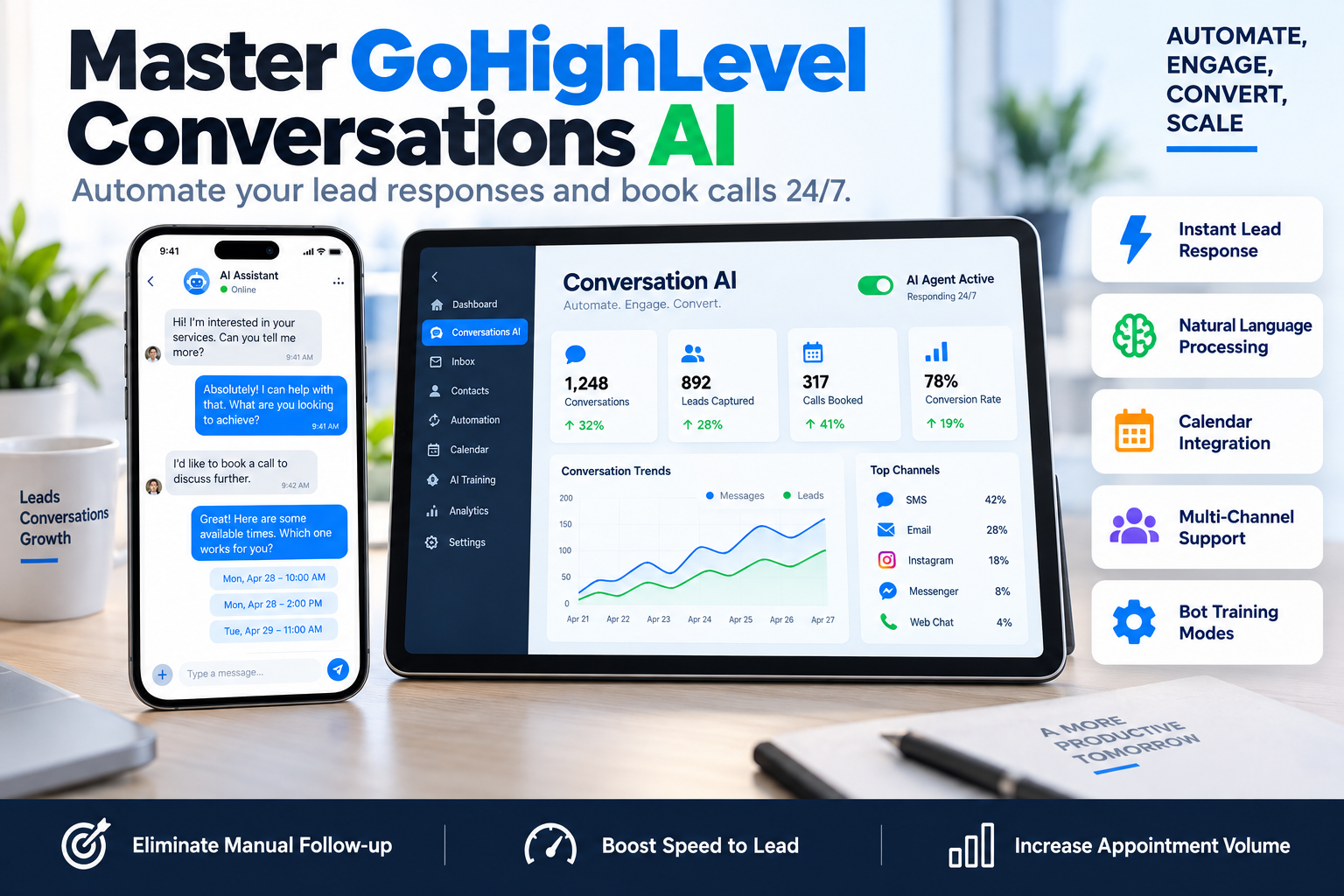
In the world of high-ticket consulting and B2B sales, speed is the only metric that matters during the initial discovery phase. If you take 30 minutes to respond to an inquiry, your lead has already opened three other tabs and booked a call with your competitor. This 'lead decay' is the silent killer of marketing ROI. However, by learning how to use GoHighLevel Conversations AI, you can achieve a 'speed to lead' time of under 30 seconds, 24 hours a day, without hiring a single additional VA.
GoHighLevel Conversations AI is not just a basic auto-responder; it is a sophisticated, intent-based engine that can interpret context, answer specific FAQs, and drive users toward a specific goal—usually booking a call on your calendar. At SkyByte, we implement these AI agents to ensure our clients never miss an opportunity due to timezone differences or busy schedules.
Why Your Funnel Needs GoHighLevel Conversations AI
Most businesses rely on static 'Thank You' pages or delayed email sequences. These are passive. The modern buyer expects an interactive experience. Using GoHighLevel Conversations AI allows you to turn a cold opt-in into a warm conversation immediately.
According to InsideSales, responding to a lead within 5 minutes increases the odds of qualifying them by 21 times compared to waiting 30 minutes. AI allows you to hit that 5-minute window 100% of the time. Beyond speed, the AI handles the 'clutter'—the repetitive questions about pricing, location, or process—allowing your sales team to focus only on high-value closing calls.
Setting Up Your AI Agent: The 4-Step Framework
To get the most out of the platform, you cannot simply 'turn it on' and hope for the best. You need a structured approach to training the model.
- Define the Bot's Purpose: Navigate to Settings > Conversation AI. Choose between 'Suggestive' (assisting your manual replies) or 'Autopilot' (full automation). For most scaling brands, Autopilot is the goal for initial lead triage.
- Configure the Knowledge Base: This is the brain of your bot. You can point the AI to specific URLs (like your FAQ page or blog) or upload a PDF of your service documentation. The more specific the data, the less likely the bot is to hallucinate.
- Set the Conversation Flow: Define which channels the AI should monitor. This includes SMS, Google My Business, Facebook, and Instagram. Ensure you set a 'Wait Time' between messages to make the interaction feel human.
- Trial and Optimization: Use the 'Bot Trial' tab to simulate conversations. Ask it the hardest questions your leads typically throw at you. If it fails, update the Knowledge Base and try again.
Comparison: Standard Workflows vs. Conversation AI
| Feature | Standard GHL Workflows | GoHighLevel Conversations AI |
|---|---|---|
| Logic Type | If/Then (Linear) | Natural Language (Contextual) |
| Adaptability | Low - Follows a script | High - Answers random questions |
| Setup Effort | High - Needs 20+ branches | Medium - Needs a Knowledge Base |
| Goal Orientation | Fixed sequence | Dynamic - Drives to booking |
| Human Feel | Robotic/Standard | Conversational/Fluid |
| Use Case | Reminders & Confirmations | Sales Triage & FAQs |
Advanced Settings for High Conversion
When optimizing GoHighLevel Conversations AI, the 'Advanced Settings' tab is where the magic happens. Here are the three most critical levers to pull:
1. The Bot Intent
Define exactly what the bot should do when a lead is ready. For B2B consultants, this should always be 'Book an Appointment.' Link your primary GHL Calendar here. The AI will then look for available slots in real-time and offer them to the lead when the intent is detected.
2. Conversation Limiters
To prevent the bot from becoming annoying or stuck in a loop, set a 'Max number of messages per conversation.' We typically recommend 10-15 messages. If the lead hasn't converted by then, have the system trigger an internal notification for a human to jump in.
3. Tone and Personality
You can prompt the AI to act as a 'Helpful Assistant,' a 'Direct Sales Pro,' or a 'Friendly Concierge.' Match this to your brand voice. A luxury coach might want a more formal, sophisticated tone, whereas a SaaS brand might prefer something punchy and technical.
Monitoring and Human Handoff
One common fear is that the AI will 'say the wrong thing.' GoHighLevel handles this through the 'Conversation' tab. Any message sent by the AI is clearly labeled. If a human staff member types a response, the AI automatically pauses for a set period (usually 30 minutes) to stay out of the way.
We recommend a 'Daily Audit' where you review AI-led conversations from the previous 24 hours. If you see a pattern where the bot misses a question, don't just fix that one chat—add the answer to the Knowledge Base so it learns for the next 1,000 leads.
FAQ: Mastering GoHighLevel Conversations AI
Q: Does Conversations AI work on Instagram DMs?
A: Yes, it integrates seamlessly with Instagram, Facebook Messenger, SMS, and Google My Business Chat, providing a unified AI response across all social channels.
Q: How much does the AI cost to run?
A: GoHighLevel charges on a per-message basis for AI usage (unless you are on specific plans with credits). It is significantly cheaper than hiring a 24/7 live chat agent or a virtual assistant.
Q: Can the AI book appointments directly on my calendar?
A: Absolutely. Once you link your calendar in the AI settings, the bot can interpret phrases like "I'm free Tuesday" and send a direct booking link or confirm the slot automatically.
Work with SkyByte to Automate Your Sales Funnel
Setting up GoHighLevel Conversations AI is only one piece of the puzzle. To truly scale, your AI needs to live inside a high-converting sales funnel supported by robust CRM architecture. At SkyByte, we specialize in building the systems that turn traffic into revenue. Whether you need to fix your problem with current automation bottlenecks or you want a comprehensive free funnel audit to see where you are losing leads, our team is ready to help. Stop letting leads go cold while you sleep. Book a discovery call with SkyByte today and let’s build an automated machine that grows your business 24/7.