Web Design
How to Migrate a Business Website Without Losing Important SEO Pages
Moving your site shouldn't kill your traffic. Learn the technical blueprint for a zero-loss migration that preserves your rankings and conversion power.
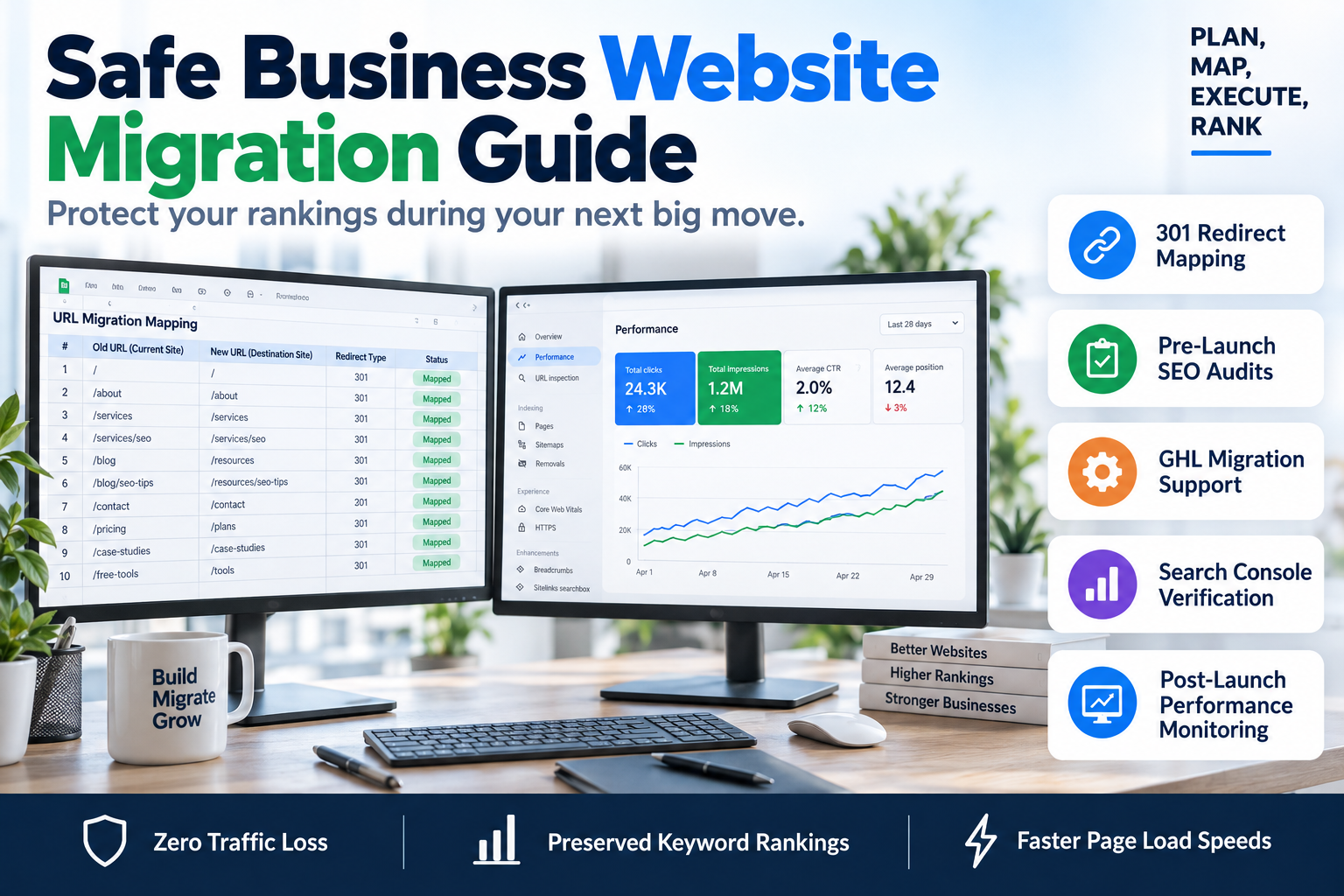
Website migration is the digital equivalent of open-heart surgery. One wrong move, a forgotten redirect, or a broken internal link structure, and your organic lead flow flatlines. For coaches, B2B brands, and consultants, your search visibility is your most valuable asset. The fear of a traffic crash often keeps businesses trapped on outdated, slow platforms. However, knowing how to migrate a business website without losing important SEO pages is the difference between a successful scaling phase and a six-month recovery period. At SkyByte, we’ve handled migrations ranging from simple portfolio moves to complex 500-page GHL funnels, and the framework for success is always rooted in technical precision.
The Real Cost of a Failed Migration
When most agencies talk about 'moving a site,' they focus on the visuals. They care about the new UI/UX, the color palette, and the mobile responsiveness. While those matter for conversion, Google doesn't care how pretty your new site is if it can't find your content.
A failed migration usually results in:
- 404 Errors: Users and bots hitting dead ends on previously high-ranking pages.
- Index Bloat: Google indexing staging sites or duplicate versions of your content.
- Loss of Backlink Equity: High-authority links pointing to pages that no longer exist.
- Conversion Drop: If your high-intent landing pages lose their rank, your sales funnels will starve for traffic.
Phase 1: Pre-Migration Benchmarking
You cannot protect what you haven't measured. Before you touch a single line of code or move a domain, you must create a baseline of your current SEO health. This is the foundation of how to migrate a business website without losing important SEO pages.
- Crawl Your Current Site: Use a tool like Screaming Frog to export every single URL currently indexed.
- Identify High-Value Pages: Filter your URLs by organic traffic and backlink count. These are your 'Tier 1' pages that must be protected at all costs.
- Audit the Content: Is there content you can prune? Migration is the best time to delete low-quality pages, but ensure they are redirected to relevant parents.
- Capture Performance Data: Export your Core Web Vitals and load times so you can prove the new site is faster post-launch.
Phase 2: The 301 Redirect Mapping Strategy
This is the most critical step. If you skip this, your SEO will fail. A 301 redirect tells Google, 'This page has moved permanently to this new address. Please pass all the ranking power to the new URL.'
| Page Type | Strategy | Priority |
|---|---|---|
| High-Traffic Blog Posts | 1:1 Direct Mapping to new URL | Critical |
| Core Service Pages | 1:1 Mapping (ensure keywords match) | High |
| Outdated Content | Redirect to the most relevant Category page | Medium |
| Dead Pages/Thin Content | Redirect to Homepage or Parent | Low |
Phase 3: Technical Execution to Migrate a Business Website Without Losing Important SEO Pages
When moving to a high-conversion platform like GoHighLevel or a custom-built headless setup, the technical stack changes. You need to ensure your on-page elements remain consistent or improve.
Title Tags and Meta Descriptions
Ensure that your metadata doesn't revert to 'Home' or 'Untitled Page' during the move. Scrape your old site's metadata and import it directly into the new CMS. If you are improving your SEO during the move, ensure the primary keyword remains in the H1 and the first paragraph of every page.
Internal Link Integrity
Check your internal linking structure. If your old site used /services/marketing-automation and your new site uses /solutions/automation, every internal link in your blogs and footers must be updated. Relying on 301s for internal links slows down the site and creates 'redirect chains' that frustrate Google's crawlers.
Image Alt Text and Assets
Don't let your images break. Ensure your image file names are descriptive and your alt text is preserved. Large unoptimized images are the #1 reason for post-migration speed drops. If you need help optimizing your media for speed, consider a free funnel audit to see where your tech stack is lagging.
Phase 4: Launch Day Protocols
Launch day is not the time for 'winging it.' To migrate a business website without losing important SEO pages, follow this 5-step launch checklist:
- Update the DNS: Lower your TTL (Time to Live) settings 24 hours before the move to ensure the domain propagates quickly.
- Verify the SSL: A 'Not Secure' warning will cause an immediate bounce rate spike and ranking drop.
- Submit the New Sitemap: Go to Google Search Console and submit your new
sitemap.xml. This invites Google to discover the new structure immediately. - Check Robots.txt: Ensure your staging site was set to 'noindex' but your live site is set to 'index.' This is a common, site-killing mistake.
- Run a Broken Link Check: Use an automated tool to find any 404s that slipped through the cracks in the first hour of being live.
Phase 5: Post-Migration Monitoring
SEO is not a 'set and forget' task, especially after a migration. You must monitor your Google Search Console 'Index Coverage' report daily for the first two weeks. Look for a surge in 'Excluded' pages or '404' errors.
If you notice a specific page dropping in rank, check its load speed and its mobile-friendliness. Often, the issue isn't the migration itself, but a change in the UX that Google perceives as less valuable to the user. If your conversion rates are also dipping, it may be time to fix your problem with a dedicated CRO review.
Frequently Asked Questions
Will my rankings drop temporarily after a migration?
It is common to see minor fluctuations for 2-4 weeks as Google re-indexes the new URLs. However, if you have mapped your 301 redirects correctly, your rankings should stabilize and often improve if the new site is faster and more mobile-friendly.
Can I change my domain name and my site structure at the same time?
While possible, this is high-risk. It is generally safer to migrate the content to the new platform first, ensure it stabilizes, and then perform the domain name change. Doing both at once makes it harder to diagnose where a potential traffic loss is coming from.
How long should I keep 301 redirects in place?
Google recommends keeping 301 redirects active for at least one year. At SkyByte, we recommend keeping them indefinitely if the old URLs still have active backlinks pointing to them.
Scale Your Business with a High-Performance Site
A website migration is the perfect opportunity to upgrade your lead generation. Don't just move your site—transform it into a conversion machine. Whether you are moving to GoHighLevel for better automation or need a custom-built sales funnel that doesn't sacrifice your hard-earned SEO, SkyByte is here to handle the technical heavy lifting. We ensure your transition is seamless, your rankings stay intact, and your conversion rates climb. Book a discovery call with SkyByte today and let’s build a site that actually grows your bottom line.