Web Design
How to Improve Shopify Product Pages for Higher Purchase Confidence
Stop losing sales at the finish line. Discover 7 high-impact strategies to improve Shopify product pages and turn hesitant browsers into confident buyers through conversion-focused design.
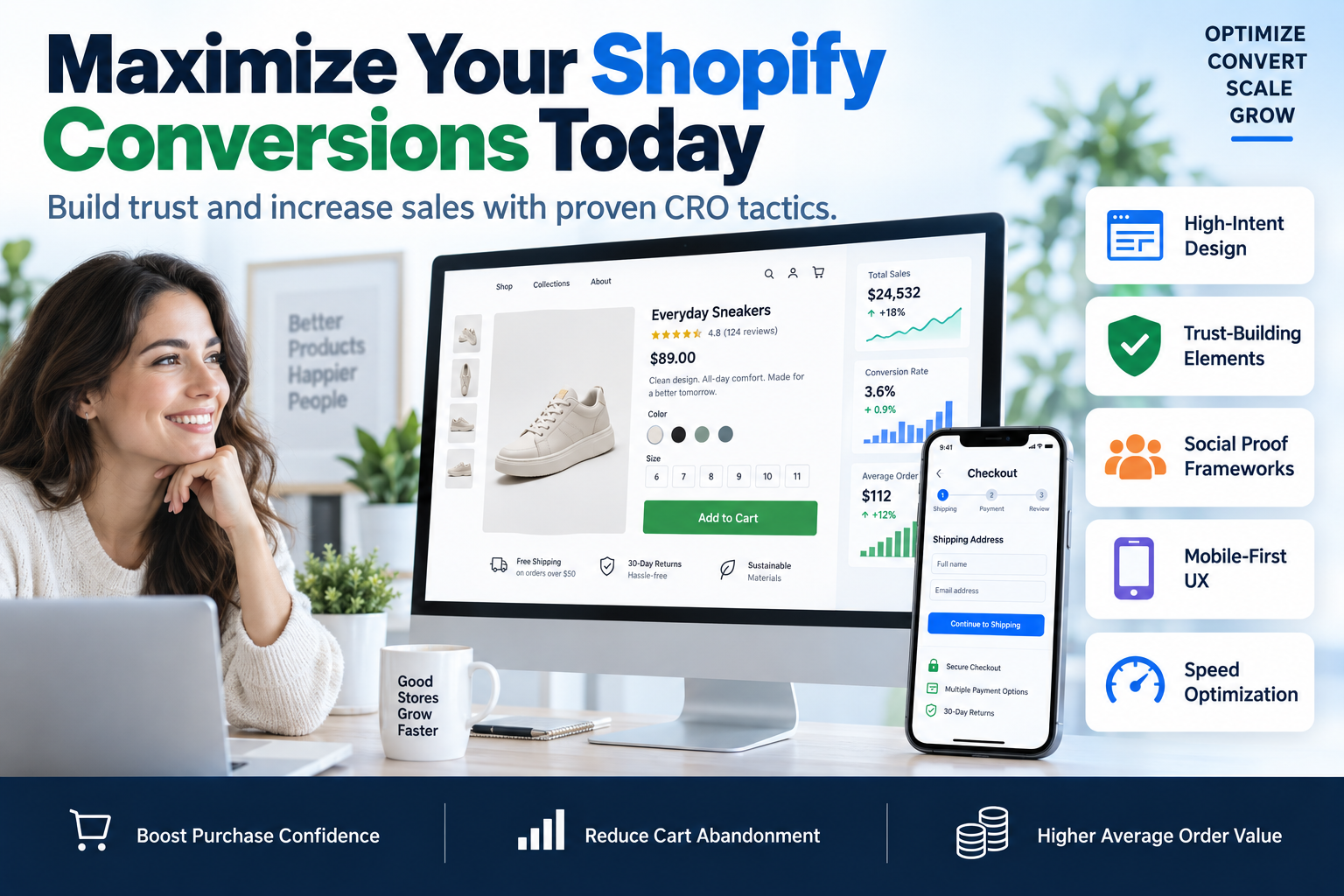
Most e-commerce owners think their biggest problem is traffic. They spend thousands on Facebook and Google Ads, only to watch visitors bounce the moment they hit the product listing. The real leak in your bucket isn't the ads; it's the lack of trust. If you want to scale your revenue, you must learn how to improve Shopify product pages to instill absolute purchase confidence in your prospects. Without a clear path to trust, users will never click 'Add to Cart.'
At SkyByte, we specialize in bridging the gap between a casual browser and a loyal customer through high-performance sales funnels and conversion-focused web design. This guide outlines the exact framework we use to audit and optimize Shopify pages for maximum ROI.
The Psychology of Purchase Confidence
Purchase confidence is the degree to which a customer believes that a product will meet their expectations and that the transaction is secure. In the digital space, where the user cannot touch or feel the product, you must compensate with information density and visual proof.
To improve Shopify product pages, you need to address the four pillars of buyer anxiety:
- Functional Risk: Does it actually work?
- Financial Risk: Is it worth the price?
- Physical Risk: Will it fit or look like the photo?
- Time Risk: How long will it take to arrive?
1. Optimize Visual Hierarchy for Scanning
Users don't read; they scan. If your 'Add to Cart' button is buried or your price isn't the first thing they see, you've already lost.
High-Conversion Layout Elements
- Sticky Add-to-Cart: As the user scrolls down to read reviews, a sticky bar should appear at the top or bottom of the screen to keep the primary CTA accessible.
- Above-the-Fold Essentials: Ensure the product title, price, star rating, and CTA are all visible without scrolling on both desktop and mobile.
- Negative Space: Avoid clutter. Give your product photos room to breathe so the eye is drawn to the product, not the sidebar.
2. Master Product Imagery and Video
Since customers can’t hold your product, your visuals must do the heavy lifting. Low-quality, pixelated photos are the fastest way to kill purchase confidence.
- Lifestyle Shots: Show the product in use. If you sell supplements, show someone taking them in a bright kitchen. If you sell furniture, show it in a fully decorated room.
- 360-Degree Views: Allow users to rotate the product. This reduces the 'Physical Risk' mentioned earlier.
- Video Demonstrations: A 15-second clip showing the product's scale, texture, and functionality can increase conversion rates by up to 80%.
3. Utilize Social Proof That Actually Converts
Generic testimonials like "Great product!" no longer work. To truly improve Shopify product pages, you need granular, verified social proof.
| Type of Social Proof | Benefit | Implementation |
|---|---|---|
| UGC (User Generated Content) | Builds authentic trust | Display Instagram photos of real customers using the product. |
| Verified Reviews | Validates quality | Use apps like Loox or Yotpo to show 'Verified Buyer' badges. |
| Expert Endorsements | Establishes authority | Mention certifications, press mentions (As Seen In), or professional stamps. |
| Real-Time Stats | Creates urgency | Show 'X people bought this in the last 24 hours' to signal popularity. |
4. Write High-Intent Product Descriptions
Stop copying and pasting manufacturer specs. Your product description is your 24/7 salesperson. It should focus on benefits, not just features.
The 'So What?' Framework:
- Feature: This jacket has a GORE-TEX lining.
- Benefit: You stay completely dry even in a heavy downpour.
- Outcome: You can enjoy your hiking trip without worrying about the weather.
When you improve Shopify product pages, ensure the description is broken up with bullet points and bold text to highlight key value propositions.
5. Implement Trust Signals and Risk Reversal
One of the most effective ways to improve Shopify product pages is to eliminate the fear of a bad purchase. If a customer is on the fence, a robust guarantee can push them over.
- Trust Badges: Display secure payment icons (Visa, Mastercard, PayPal) and SSL certificates near the checkout button.
- Clear Return Policy: Highlight a '30-Day Money Back Guarantee' or 'Free Easy Returns' directly under the CTA.
- Shipping Transparency: Don't hide shipping costs until the final checkout page. Use a shipping calculator or state 'Free Shipping on orders over $X' clearly.
6. Technical Performance and Mobile UX
A one-second delay in page load time can result in a 7% reduction in conversions. If your Shopify store is slow, your purchase confidence drops because the site feels 'broken' or unprofessional.
- Compress Images: Use WebP format to maintain quality while reducing file size.
- Lazy Loading: Ensure images below the fold only load when the user scrolls to them.
- Mobile-First Design: 70% of e-commerce traffic is mobile. Ensure your buttons are 'thumb-friendly' and that there are no intrusive pop-ups blocking the view.
7. Advanced Personalization and Upselling
Once the customer feels confident enough to buy, maximize the value of that session. Use GoHighLevel or Shopify-native apps to show 'Frequently Bought Together' sections. This doesn't just increase AOV (Average Order Value); it helps the customer feel like they are getting a complete solution, which further boosts confidence.
If you are struggling to bridge these technical gaps, you might need a free funnel audit to identify exactly where your visitors are dropping off.
Frequently Asked Questions
How do I know if my product page is underperforming?
Check your 'Add to Cart' rate in Shopify Analytics. If it is below 3-5%, you likely have a trust or clarity issue on your product page. Improving your visual hierarchy and social proof is the first step.
What is the most important element on a Shopify product page?
While all elements matter, the 'Add to Cart' button and the price are the most critical. If these aren't clear, immediate, and accompanied by a trust signal (like a star rating), your conversion rate will suffer.
Does page speed really affect purchase confidence?
Yes. Slow loading times signal a lack of technical maintenance, which users subconsciously associate with poor customer service or unreliability. A fast site feels secure and professional.
Optimize Your Store with SkyByte
Building a high-converting Shopify store requires more than just a pretty template. It requires a deep understanding of consumer psychology, technical SEO, and conversion rate optimization. At SkyByte, we help brands move beyond basic storefronts into high-performance sales funnels that capture and convert leads on autopilot.
Whether you need to integrate complex GoHighLevel automations to follow up with abandoned carts or you want a complete redesign to improve Shopify product pages, our team is ready to scale your brand.
Book a discovery call with SkyByte today and let’s turn your Shopify store into a conversion machine.