Automation
GoHighLevel Reputation Management: Automate Google Reviews in 3 Steps
Stop chasing clients for feedback. Learn how to leverage GoHighLevel reputation management to automate review requests, filter negative feedback, and skyrocket your local SEO ranking.
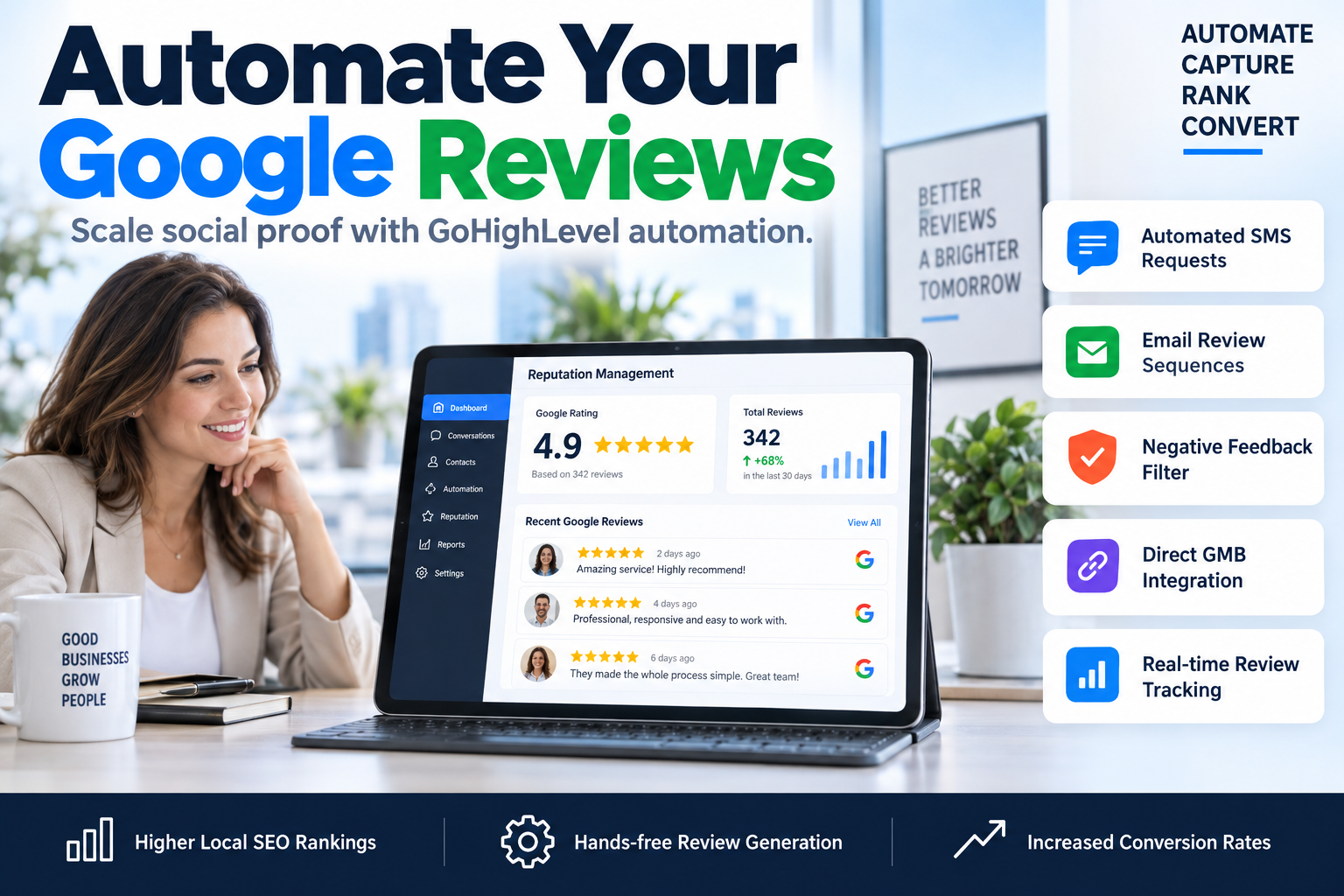
High-intent leads don't buy from brands they don't trust. In the B2B and coaching space, your Google Business Profile is often the first touchpoint. If you aren't actively using GoHighLevel reputation management to capture and display social proof, you are leaving revenue on the table for your competitors. Manual review requests are inconsistent, awkward, and easily forgotten. To dominate local search and build an authoritative brand, you need a system that asks for feedback every single time a transaction occurs, without you lifting a finger.
Why GoHighLevel Reputation Management is Your Secret SEO Weapon
Most agencies and consultants view reviews as a 'nice-to-have.' They're wrong. Google’s local search algorithm heavily weights the quantity, velocity, and diversity of your reviews. By utilizing GoHighLevel reputation management, you aren't just getting feedback; you are signaling to Google that your business is active, relevant, and trusted.
This isn't just about a star rating. It's about conversion rate optimization (CRO). A lead who finds your landing page via a high-converting sales funnel is 4x more likely to book a call if they see a feed of 5-star reviews on that page. GHL allows you to bridge the gap between 'service rendered' and 'public praise' through intelligent automation.
The Anatomy of a High-Conversion Review Request
A simple "Please review us" email doesn't work anymore. For maximum impact, your automated requests must be:
- Timely: Sent within 24 hours of the service.
- Frictionless: One click to reach the Google review window.
- Personalized: Mention the specific service or consultant.
Step 1: Connect Your Google Business Profile and Configure Settings
Before you can automate anything, you must establish the direct integration between GoHighLevel and Google. Navigate to Settings > Integrations and connect your Google account. Once connected, select the specific Google Business Profile (formerly GMB) for that sub-account.
Within the Reputation Management tab, you have two primary options: the 'Standard' request and the 'Custom' workflow. While the standard settings allow for a quick 'Send Review Request' button on the contact card, SkyByte recommends building a custom workflow for better conversion and branding.
| Feature | Standard Request | Custom Workflow (Recommended) |
|---|---|---|
| Timing | Immediate only | Delay logic (e.g., 2 hours later) |
| Channels | SMS or Email | Multi-channel (SMS + Email) |
| Logic | None | If/Then filtering for sentiment |
| Branding | Limited | Full HTML/CSS control |
Step 2: Build the 'Review Harvest' Workflow
To truly master GoHighLevel reputation management, you need a multi-channel approach. We suggest a 3-touch sequence to ensure maximum capture rates without being intrusive.
The "3-Touch" Review Framework
- The Immediate Thank You (SMS): Send an SMS 30 minutes after a project is marked 'Won' or a tag 'Service Complete' is added. "Hey [Name], thanks for choosing SkyByte! We’d love to hear your thoughts. Would you mind leaving us a quick review here? [Link]"
- The Value Follow-up (Email): If no review is detected after 48 hours, send a branded email highlighting the impact their feedback has on your small business.
- The Final Reminder (SMS): 5 days later, a final, soft nudge. If they haven't clicked the link by now, the workflow ends to avoid annoyance.
In the GHL Workflow builder, use the trigger 'Opportunity Status Changed' or 'Contact Tag Added'. This ensures the system only asks for reviews when the customer is at their peak satisfaction level.
Step 3: Implement Sentiment Filtering and Negative Feedback Buffering
One of the most powerful aspects of GoHighLevel reputation management is the ability to protect your public rating. While Google prohibits 'review gating' (preventing negative reviews), GHL allows you to use an internal feedback link first.
Instead of sending users directly to Google, send them to a simple GHL funnel page with two buttons:
- "I had a great experience!" (Links directly to Google Review window)
- "I have some concerns." (Opens a custom form that sends an internal notification to your team)
This gives you a chance to fix your problem privately before the client goes public with their frustration. It turns a potential 1-star review into a customer service win.
Scaling Your Authority with Review Widgets
Once the reviews start rolling in, don't let them sit on Google. Use the GoHighLevel 'Reviews Widget' on your landing pages and sales funnels.
- The 'Wall of Love': Place this on your booking page to decrease no-show rates.
- The 'Floating Badge': Keep your 4.8+ rating visible in the corner of your site to build persistent trust.
By dynamically pulling these reviews into your site, you ensure your social proof is always fresh, which is a key factor in how Google evaluates your site's E-E-A-T (Experience, Expertise, Authoritativeness, and Trustworthiness).
Frequently Asked Questions (FAQ)
Does GoHighLevel automatically post reviews to social media?
Yes. Within the Social Planner, you can set up an automation to pull 4 and 5-star Google reviews and automatically create image posts for Instagram, Facebook, and LinkedIn. This keeps your social feeds active with zero effort.
Is review gating against Google's Terms of Service?
Google discourages 'gating' where you strictly block negative reviews. However, providing a private feedback channel as an alternative is a standard customer service practice. The goal is to resolve issues, not just hide them.
Can I automate review replies within GHL?
Absolutely. In the Reputation tab, you can set up auto-responses based on star ratings. For example, every 5-star review can receive an automated "Thank you so much for the kind words!" response, which further boosts your SEO activity levels.
Optimize Your Sales Engine with SkyByte
Managing your reputation is just one piece of the conversion puzzle. If your reviews are great but your landing pages are leaking leads, you aren't hitting your full revenue potential. At SkyByte, we specialize in building high-performance sales funnels and complex GoHighLevel automations that turn traffic into high-ticket clients.
Stop guessing at your marketing stack. Whether you need a free funnel audit to identify your biggest bottlenecks or you're ready to book a discovery call with SkyByte today to overhaul your entire CRM strategy, our team of experts is ready to help you scale. Let's turn your reputation into your greatest sales asset.