Automation
How to Set Up GoHighLevel Missed Call Text Back to Capture Leads
Every missed call is a lost customer. Learn how to implement the GoHighLevel Missed Call Text Back automation to recover leads and scale your local business automatically.
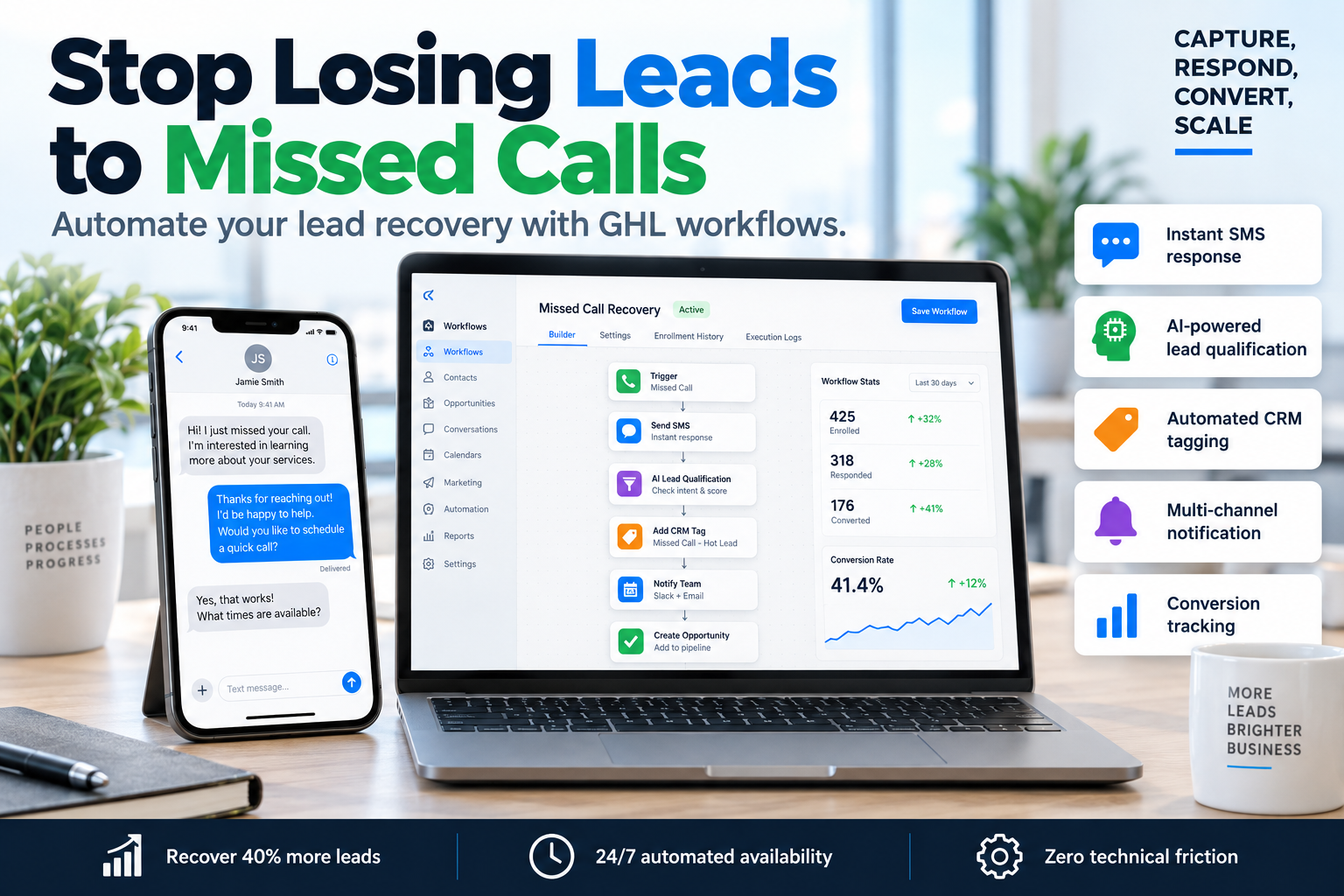
Every missed call is a missed opportunity for your local business. When a potential client calls and gets your voicemail, they don’t leave a message; they hang up and call your competitor. This is where the GoHighLevel Missed Call Text Back feature becomes your most valuable sales asset. By automating an immediate SMS response, you acknowledge the lead instantly, stopping them from shopping around and keeping them engaged in your sales funnel before you even pick up the phone.
At SkyByte, we specialize in building conversion-focused systems that bridge the gap between 'interest' and 'invoice.' In this guide, we will break down exactly how to configure this automation, why it is critical for local SEO and lead retention, and the advanced tweaks we use to maximize conversion rates for our B2B clients.
Why Your Business Needs GoHighLevel Missed Call Text Back
Statistics show that 85% of people whose calls are not answered will not call back. Furthermore, leads are 21x more likely to convert if they are contacted within the first five minutes. The GoHighLevel Missed Call Text Back feature solves the 'speed to lead' problem without requiring you to be glued to your phone 24/7.
The Impact on Conversion Rates
- Immediate Gratification: The customer feels heard and serviced immediately.
- Lead Friction Reduction: Moving the conversation to text allows for asynchronous communication, which many modern consumers prefer.
- SEO Synergy: Google rewards businesses that have high interaction rates and fast response times on their Business Profiles.
Step-by-Step Guide: Setting Up the Automation
Setting up the GoHighLevel Missed Call Text Back is a straightforward process within the GHL automation builder. Follow these steps to get your system live in under 10 minutes.
Step 1: Enable the Default Feature
GoHighLevel has a 'native' toggle for this, but for professional scaling, we recommend building a custom workflow. To start, ensure your Twilio or LeadConnector phone number is active in the sub-account settings.
Step 2: Create a New Workflow
- Navigate to Automation > Workflows.
- Click Create New Workflow and start from scratch.
- Add a Trigger: Search for Call Status.
- Filter the trigger: Set Call Direction to 'Incoming' and Call Status to 'Busy,' 'No Answer,' or 'Voicemail.'
Step 3: Add the SMS Action
Click the '+' icon to add your first action. Select Send SMS. This is where your copywriting matters. Don't just say 'We missed you.' Use a script that invites a response.
Effective Script Example: "Hi, this is [Name] from [Business]. Sorry I missed your call! I'm currently helping another client, but I wanted to see how I can help you? Type 'QUOTE' for pricing or just ask your question here!"
Step 4: Add Internal Notifications
Don't just text the lead; notify your team. Add a 'Send Internal Notification' step so your sales rep knows to call back manually as soon as they are free.
Comparison: Native Feature vs. Custom Workflow
| Feature | Native GHL Toggle | Custom SkyByte Workflow |
|---|---|---|
| Setup Speed | Instant (1 Click) | 10 Minutes |
| Conditional Logic | None | Yes (Work hours vs. After hours) |
| CRM Tagging | No | Yes (Identify 'Hot Leads') |
| Follow-up Sequence | Single Text Only | Multi-step (SMS, Email, Wait steps) |
| Lead Attribution | Basic | Advanced (Track source of call) |
Advanced Strategies for Higher Conversions
If you want to move beyond basic setup and truly optimize your GoHighLevel Missed Call Text Back system, implement these SkyByte-tested strategies:
1. The "Office Hours" Branch
Use the 'If/Else' condition to check the time of day. If the call is missed during business hours, the text should promise a call back within 15 minutes. If it's 2:00 AM, the text should direct them to a landing page to book a call for the following morning.
2. The "AI-Powered" Appointment Setter
Integrate a GoHighLevel AI bot (Content AI or Workflow AI) to follow up on the text response. If the user replies with a question, the AI can answer and provide a link to your calendar, effectively closing the sale while you sleep.
3. Pipeline Stages and Tagging
Every missed call should automatically move a 'Contact' into a 'Missed Call' stage in your Opportunity Pipeline. This ensures no lead falls through the cracks and allows you to track the exact ROI of your automation efforts.
The SkyByte Framework for Lead Retention
We utilize a specific framework when building these automations for our B2B and coaching clients:
- Acknowledge: Confirm receipt of the call within 30 seconds.
- Humanize: Use the business owner's name, not just the brand name.
- Direct: Provide a clear next step (e.g., "Reply with your zip code" or "Click here to see our menu").
- Escalate: Notify a human team member via mobile app push notification immediately.
Common Pitfalls to Avoid
- Generic Messaging: Avoid sounding like a robot. Use local terminology and a friendly tone.
- Lack of Tracking: Ensure you are using a dedicated tracking number so you can distinguish between personal calls and business leads.
- Over-Automation: If the lead replies, stop the automation. Use the 'Allow Stop on Response' setting in the workflow settings to ensure you don't keep spamming a lead who is already talking to you.
Frequently Asked Questions
Does this work with ported landlines?
Yes, as long as your number is hosted within GoHighLevel (via LeadConnector or Twilio) and has SMS capabilities enabled, the missed call text back will function perfectly.
Can I send an image or a link in the text?
Absolutely. In fact, sending a link to a high-conversion landing page is a great way to provide immediate value while the lead is still in 'buying mode.'
How much does each text cost?
Standard SMS rates apply based on your LeadConnector/Twilio billing. Typically, it is less than $0.01 per message—an insignificant cost compared to the value of a lost lead.
Scaling Your Local Business with SkyByte
Setting up a GoHighLevel Missed Call Text Back is just the first step in building a robust sales engine. Most local businesses are leaking revenue through unoptimized websites and broken follow-up processes.
At SkyByte, we help you plug those leaks. From building high-performance sales funnels to implementing advanced GoHighLevel automations that turn cold traffic into loyal clients, we handle the technical heavy lifting so you can focus on running your business.
Ready to stop losing leads? Book a discovery call with SkyByte today and let us audit your current lead flow, or get started with a free funnel audit to see where your biggest conversion opportunities are hiding.