GoHighLevel
GoHighLevel Pipelines Explained: Structure Stages to Close More Deals
Stop losing leads in a messy CRM. We explain exactly how to structure your GoHighLevel pipeline stages to maximize visibility and automate your way to a higher close rate.
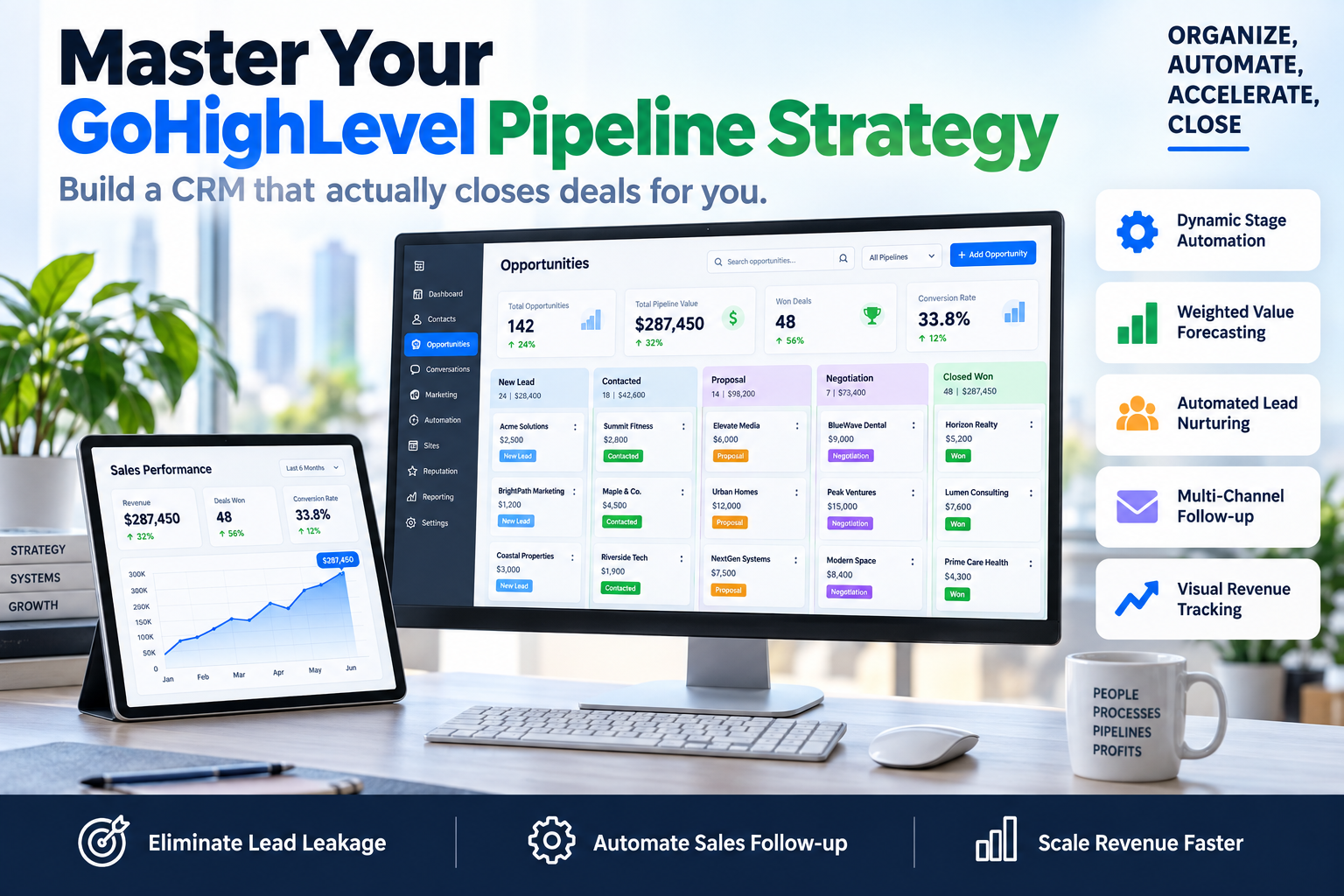
Most agency owners and consultants treat their CRM like a digital filing cabinet—a place where leads go to be forgotten. If your 'Opportunities' tab is a graveyard of stagnant cards, you aren't just disorganized; you are actively losing revenue. This GoHighLevel pipelines explained guide will show you how to transform a simple list of names into a high-velocity sales engine that dictates exactly what your team should do next.
To scale a B2B service or coaching business, you need a visual representation of your sales process that triggers automation at every milestone. When you understand how to structure your stages correctly, your CRM stops being a chore and starts being your most productive employee.
Why Most CRM Pipelines Fail to Convert
The most common mistake we see at SkyByte is 'Stage Bloat.' Companies create 15 different stages for things like 'Left Voicemail' or 'Sent Second Email.' This clutter kills sales momentum. A pipeline should represent milestones of intent, not a log of every micro-action.
In this GoHighLevel pipelines explained breakdown, we focus on movement. A stage should only exist if it requires a specific change in the lead's status or triggers a unique set of automations. If two stages don't require different messaging or a different internal SOP, they should be merged.
The SkyByte Framework: The 6-Stage High-Conversion Pipeline
For most B2B brands and consultants, we recommend a lean, action-oriented structure. Here is how to build it inside GHL:
- New Lead / Inquiry: The entry point. Automation should immediately trigger an SMS/Email drip here. The goal is to move them to 'Booking' within minutes.
- Booking Requested: The lead has engaged with a calendar but hasn't yet completed the discovery call. This stage is critical for 'No-Show' prevention automations.
- Showed / Discovery Call: The lead attended the meeting. This is a fork in the road. They are either disqualified or move to a proposal.
- Proposal Sent / Negotiation: High-intent stage. This triggers automated follow-ups every 48 hours until a decision is made.
- Won / Onboarding: The deal is closed. This moves the contact out of the sales pipeline and into a fulfillment workflow.
- Lost / Abandoned: Do not delete these. Move them here to trigger a long-term 'nurture' sequence that checks back in 3–6 months.
Automating Your GoHighLevel Pipeline Stages
The magic of GoHighLevel isn't just seeing the cards; it’s what happens when a card moves. When GoHighLevel pipelines are explained through the lens of automation, three key triggers emerge:
1. Stage Entry Triggers
When a lead is dragged into 'Proposal Sent,' GoHighLevel should automatically send a personalized SMS asking if they have any questions about the document. This removes the manual 'checking in' burden from your sales team.
2. Stagnation Triggers
If a lead stays in the 'Discovery Call' stage for more than 48 hours without moving to 'Proposal Sent,' the system should alert your sales manager. This prevents deals from falling through the cracks.
3. Lead Scoring Updates
You can use the 'Update Contact Field' action to increase a lead's score as they progress through the pipeline, allowing you to prioritize your hottest prospects at a glance.
Comparison: Standard CRM vs. Optimized GHL Pipeline
| Feature | Standard CRM Approach | SkyByte Optimized GHL Pipeline |
|---|---|---|
| Stage Logic | Activity-based (e.g., 'Called') | Milestone-based (e.g., 'Qualified') |
| Follow-up | Manual reminders | Automated multi-channel sequences |
| Visibility | Simple list view | Visual Kanban with weighted values |
| Lead Leakage | High (leads get forgotten) | Zero (stagnation alerts enabled) |
| Reporting | Manual data entry | Automated ROI and conversion tracking |
3 Pro-Tips for Managing Pipeline Health
Define Your 'Win' and 'Loss' Clearly
A common issue is leaving dead leads in the pipeline because 'they might call back.' This skews your data. If a lead hasn't responded in 14 days, move them to 'Lost' or 'Cold Nurture.' Keep your active pipeline reserved for people actually in the buying process.
Use Weighted Pipeline Values
Inside GoHighLevel, assign a dollar value to each opportunity. By looking at your pipeline, you can see your 'Open Value.' If you know your closing rate is 20%, and you have $100,000 in your pipeline, you can accurately forecast $20,000 in upcoming revenue.
Custom Fields are Your Best Friend
Don't just track names. Use custom fields to track 'Pain Points,' 'Budget,' or 'Current Software.' This data should be visible on the opportunity card so that when a sales rep opens the pipeline, they have all the context they need to close the deal.
Frequently Asked Questions
Q: How many pipelines should I have in GoHighLevel? Keep it simple. Most businesses only need two: a 'Sales Pipeline' for new customer acquisition and an 'Upsell/Account Management' pipeline for existing clients.
Q: Can I automate stage movements? Yes. You should use GHL Workflows to move leads automatically. For example, when a calendar appointment is booked, the lead should automatically jump from 'New Lead' to 'Booking Requested' without you touching a thing.
Q: What is the 'Abandoned' stage for? This is for leads that went cold but didn't explicitly say 'no.' By moving them here, you can trigger a 'Revival Campaign' that sends a text message every 30 days with a helpful resource or a special offer.
Closing the Loop on Your Sales Process
Understanding how to structure your CRM is the difference between a business that plateaus and one that scales. With GoHighLevel pipelines explained and implemented, you gain total clarity over your revenue and save hours of manual admin time every week.
If your current setup feels like a mess, or if you are tired of leads leaking out of your funnel, we can help. Book a discovery call with SkyByte today to see how we build high-conversion ecosystems. We specialize in deep GHL builds that don't just look pretty—they drive ROI. Whether you need a free funnel audit or a complete CRM overhaul, our team is ready to fix your problem and get your sales team back to what they do best: closing deals.