Automation
GoHighLevel Snapshots Explained: The Ultimate Scaling Framework
Discover how GoHighLevel Snapshots allow you to clone successful sales funnels, CRM workflows, and automations instantly. Stop building from scratch and start scaling your agency.
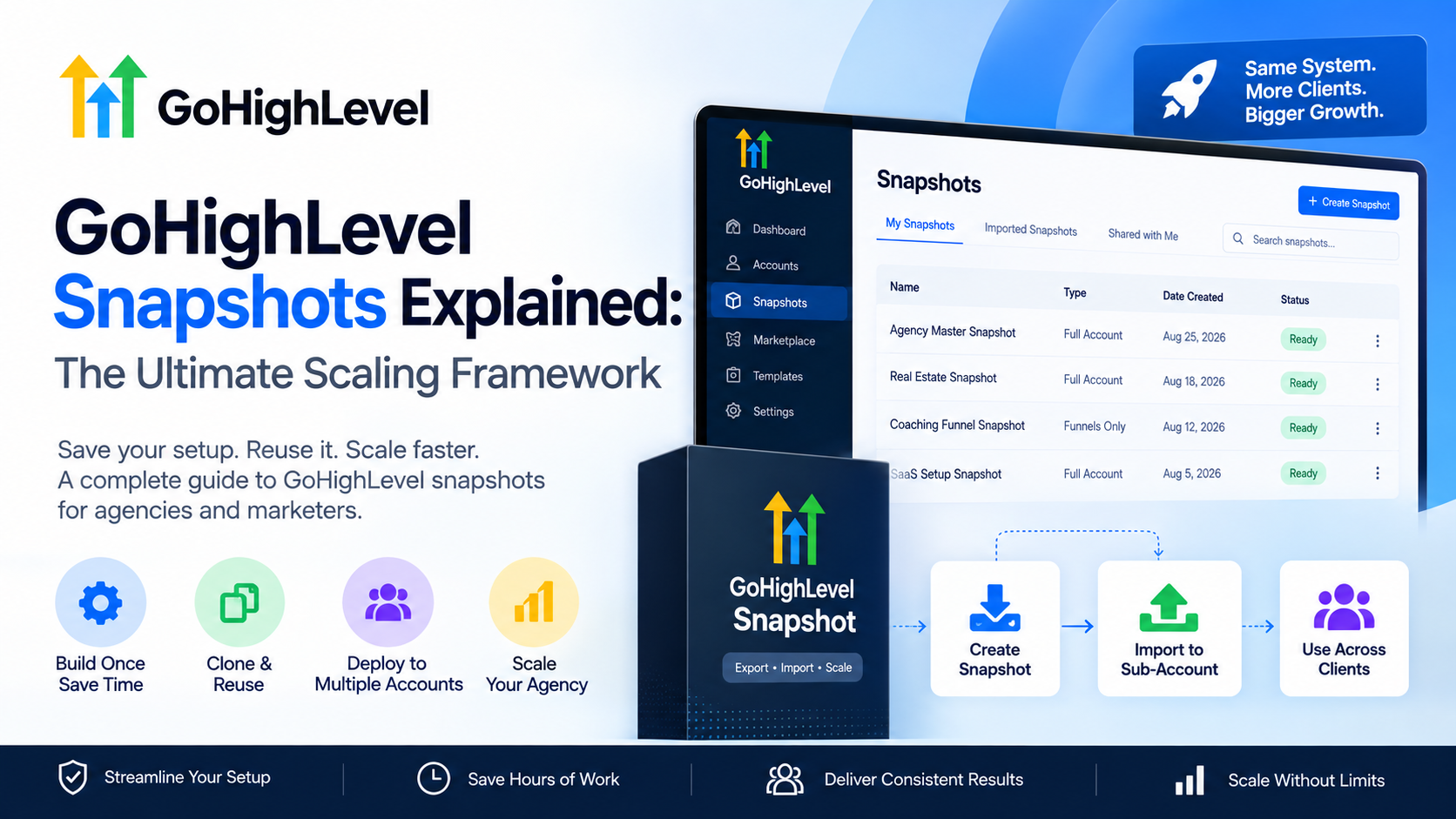
Building a high-converting sales engine from scratch every time you land a new client is the fastest way to burn out your operations team. In the world of high-growth agencies, manual setup is the enemy of profit margins. This is where GoHighLevel Snapshots become your most valuable asset. If you are looking for GoHighLevel Snapshots explained in a way that actually impacts your bottom line, you need to view them not just as templates, but as scalable intellectual property that allows you to deploy a fully functional business ecosystem in under sixty seconds.
What are GoHighLevel Snapshots?
At its core, a GoHighLevel Snapshot is a comprehensive backup or 'clone' of a GHL sub-account. Unlike a simple website template that only copies the visual layout, a snapshot captures the entire DNA of a successful sales funnel.
When you deploy a snapshot, you are migrating:
- Funnels and Landing Pages: Every step, pop-up, and SEO setting.
- Workflows and Automations: Email sequences, SMS triggers, and internal notifications.
- Custom Fields and Values: Data structures specific to your niche.
- CRM Pipelines: The visual stages of your sales process.
- Review Requests: Automated reputation management settings.
- Tags and Folders: The organizational logic of the account.
Why Every Agency Needs GoHighLevel Snapshots Explained for Their Team
The primary reason to master GoHighLevel Snapshots is efficiency. Instead of spending 10–20 hours configuring a new client’s CRM and automation workflows, you spend 5 minutes. This allows your team to focus on high-level strategy and conversion optimization rather than technical troubleshooting.
The Vertical Scaling Advantage
If you specialize in a specific niche—say, dental clinics or roofing contractors—your core offer probably doesn't change much from client to client. By creating one 'Master Snapshot,' you ensure every new client receives your proven, high-converting framework instantly. This consistency ensures that your agency's quality of service remains high, regardless of how fast you scale.
How to Use GoHighLevel Snapshots: Step-by-Step
Implementing snapshots requires a strategic approach to ensure you don't overwrite critical client data or create messy account structures. Follow this framework for deployment:
- The Master Build: Create a 'Golden Sub-Account' where you build out your perfect funnel, testing every trigger and email link.
- Capture the Snapshot: In the Agency view, navigate to 'Settings' > 'Snapshot' and click 'Create New Snapshot.' Select your Golden account.
- Deployment: When onboarding a new client, select 'Create Sub-Account' and choose your custom snapshot from the list.
- Load to Existing Account: If a client already has an account, use the 'Actions' menu on the sub-account list to 'Load Snapshot.'
Snapshot Conflict Resolution
When loading a snapshot into an existing account, GoHighLevel will ask you to resolve conflicts. You can choose to:
- Skip: Keep the existing item in the client account.
- Overwrite: Replace the client's item with the snapshot version.
- Ignore: Do not import that specific asset.
| Feature | Template Only | GoHighLevel Snapshot |
|---|---|---|
| UI/UX Design | Yes | Yes |
| SMS/Email Triggers | No | Yes |
| CRM Pipeline Stages | No | Yes |
| Custom CSS/JS | Partial | Yes |
| Calendar Settings | No | Yes |
| Deployment Speed | Moderate | Instant |
Advanced Strategies: Snapshot Evolution and Global Updates
One of the most powerful aspects of GoHighLevel Snapshots is the 'Update' feature. If you discover a bug in your automation or find a way to increase the conversion rate on a landing page within your Master account, you don't have to manually fix it for 50 clients.
You simply update the Snapshot, then push those changes to all linked sub-accounts. You can select exactly which components to update (e.g., only update the 'Nurture Workflow' but leave the 'Landing Page' alone), giving you surgical control over your client base's infrastructure.
Common Pitfalls to Avoid
While snapshots are powerful, they can lead to 'Frankenstein accounts' if handled poorly.
- Hard-Coded Links: Ensure your emails don't contain hard-coded links to the master account. Use Custom Values (e.g.,
{{location.website}}) so the snapshot dynamically pulls the correct data for each client. - Over-complication: A snapshot with 50 workflows is harder to manage than one with 10 essential, high-impact automations. Keep it lean.
- Naming Conventions: Use clear prefixes like
[V1.2]in your workflow names within the snapshot so you know exactly which version a client is running.
FAQ: GoHighLevel Snapshots Explained
Q: Can I sell my GoHighLevel Snapshots? Yes. Many agencies create niche-specific snapshots (e.g., a 'Real Estate Lead Gen Snapshot') and sell them as digital products or use them as lead magnets to attract other GHL users.
Q: What happens if I delete the Master account? The snapshot remains in your Agency library, but you won't be able to push 'fresh' updates from that account anymore. It is best practice to keep a 'Master' sub-account active for every snapshot you maintain.
Q: Does a snapshot include the client's contacts and conversations? No. A snapshot only copies the structural elements (funnels, workflows, settings). It never copies sensitive data like contact lists, messages, or transaction history.
Scale Your Funnels with SkyByte
Understanding GoHighLevel Snapshots is just the beginning of building a truly automated business. At SkyByte, we specialize in building the high-conversion sales funnels and complex GHL automations that fill these snapshots. We don't just build pages; we build revenue-generating assets tailored to your B2B brand. If you are tired of manual work and ready to implement a professional, scalable CRM infrastructure that converts, let’s talk.
Ready to automate your growth? Book a discovery call with SkyByte today.